An honest InVideo AI review: how the prompt-to-video workflow works, what the free plan includes, real strengths, common complaints about credits, and who should skip it. […]
Managing your own calendar while running a business is where most solo founders lose control of their week. AI scheduling tools now handle the back-and-forth of booking […]
Running a small business already means juggling marketing, customers, emails, and day-to-day operations. Creating professional video content shouldn't feel like another full-time job […]
Running a modern digital business or a YouTube channel from a home office requires efficiency. You don't always have the time to sit in front of a camera […]
Every call that goes to voicemail is a customer who might just call your competitor next. For a small business without a receptionist, that's a real cost […]
BenQ ScreenBar Halo 2, Quntis or a classic LED desk lamp? The best desk lighting for long work sessions and dark winter afternoons, compared on glare, dimming and color temperature. […]
First Alert, Kidde or X-Sense? The best combination smoke and CO alarms for heating season, including a smart Nest Protect replacement, compared on sensors, voice alerts and interconnect. […]
Sunbeam, Beautyrest or a sherpa heated throw? The best heated blankets for the bed, the sofa and a chilly home office, compared on heat settings, auto shut-off and care. […]
DREO, Vornado or Dr Infrared? The best space heaters for home offices, bedrooms and large rooms, compared on heat, noise, thermostat control and safety features. […]
cocopar, KYY, ARZOPA or InnoView? The best portable monitors for laptops compared on resolution, USB-C one-cable setup, weight and ratings for remote work and travel. […]
SIHOO M57, SIHOO M18, Marsail or ELABEST X100? The best budget ergonomic office chairs compared on lumbar support, headrests, recline, weight capacity and ratings. […]
VariDesk Pro Plus 36, VIVO 36 or VariDesk Essential 36? The best standing desk converters for your existing desk, compared on size, lift, height settings and setup. […]
Dell S2725QC, LG 27UP850K-W, Dell 27 Plus S2725DC or Samsung ViewFinity S50GC 34? The best home office monitors compared on resolution, USB-C charging, eye comfort and screen space. […]
Steelcase Gesture, Steelcase Series 1, Hbada E3 Air or Branch Ergonomic Chair Pro? The best ergonomic office chairs compared on adjustments, lumbar support, recline and ratings. […]
Vari, FlexiSpot, SHW or FEZIBO? The best electric standing desks for home offices, compared on size, height range, weight capacity, motors and memory presets. […]
Ring Alarm or SimpliSafe? The best DIY home security systems compared on kit size, sensors, monitoring plans, installation and smart home features. […]
Ring Outdoor Cam, Blink Outdoor 4 or aosu solar camera? The best wireless outdoor security cameras compared on battery life, night vision, storage and subscription costs. […]
The best smart locks of 2026: Schlage Encode, ULTRALOQ Bolt SE, eufy C220 and Tapo DL110 compared on unlocking methods, security ratings, battery life and smart home support. […]
Sony WH-1000XM6, Bose QuietComfort Ultra (2nd Gen) or Soundcore Space One? The best noise-cancelling headphones for calls and focus, compared on ANC, mics, comfort and battery. […]
Logitech C920S, Insta360 Link 2C or Logitech MX Brio? The best webcams for video calls, compared on image quality, low light, auto-framing, mics and privacy. […]
The best mesh Wi-Fi systems of 2026 compared: TP-Link Deco X55 and X20, eero 7 and eero Pro 7, Google Nest Wifi Pro, Deco BE63 and NETGEAR Orbi 770, with coverage, Wi-Fi 6 vs 7 and how many units you need. […]
An honest NordVPN review: speed and streaming test results, privacy audits, plans, real downsides like renewal pricing, and who should pick a different VPN. […]
When you work from home, you are the IT department. Here's how to protect client files, passwords and payments with a few settings, free tools and simple habits […]
Dyson V15 Detect, Shark Vertex Pro, Shark PowerDetect Clean & Empty, Dyson V11 or Bissell FurGuard? The best cordless stick vacuums compared on runtime, pet hair, filtration and docks. […]
hOmeLabs, Waykar, Ivation with a pump, Eva-Dry or ToLife? The best dehumidifiers for damp basements, cold crawl spaces and small rooms, compared on capacity, drainage and noise. […]
Kasa Matter, Amazon Smart Plug, Tapo P125M, Eve Energy or Kasa Outdoor EP40? The best smart plugs compared on Matter support, energy monitoring, outdoor use and holiday lights. […]
Tapo C220, eufy S350, Ring Indoor Cam or Blink Mini 2K+? The best indoor security cameras compared on video quality, pan and tilt, local storage, subscriptions and privacy. […]
Levoit Dual 200S, Canopy, Levoit Classic 300S or LV600HH? The best quiet humidifiers for bedrooms, compared on noise, tank size, runtime, cleaning and smart features. […]
ECOVACS Goat A2000 LiDAR PRO, MOVA LiDAX Ultra 1000 or Dreame A3 AWD Pro 3500? The best wire-free robot lawn mowers compared on navigation, edges, slopes and lawn size. […]
Google Nest Learning Thermostat (4th gen), ecobee Smart Thermostat Premium or Honeywell Home RTH9585WF? The best smart thermostats compared on savings, sensors, C-wire needs and installation. […]
eufy E340, Ring Battery Doorbell 4K Pro or Blink Battery Doorbell 2K+? The best video doorbells compared on video, package detection, batteries and subscription costs. […]
Levoit Core 300-P, Coway Airmega Mighty or Blueair Blue Pure 211i Max? The best air purifiers for bedrooms, living rooms and large spaces, with CADR, noise and filter costs explained. […]
EcoFlow DELTA 3, Anker SOLIX C1000 or Jackery Explorer 1000 v2? The best 1 kWh portable power stations for outages and camping, compared on output, charging, solar and weight. […]
The best robot vacuum and mop combos of 2026: Roborock Qrevo 2 Pro, eufy E25 and iRobot Roomba Plus 415, compared on suction, mopping, docks and real-world drawbacks. […]
Roborock Qrevo 2 Pro or iRobot Roomba Plus 415 Combo? We compare suction, mopping, docks, obstacle avoidance and each brand's 2026 situation, including iRobot's new owner. […]
EcoFlow DELTA 3 or Jackery Explorer 1000 v2? We compare capacity, power output, charging speed, solar input, weight, expandability and warranty to help you choose. […]
Bambino Plus or Ninja Luxe Café Premier? We compare heat-up, milk frothing, grinder, drink options, size and warranty to help you pick the right home espresso machine. […]
Is the De'Longhi Magnifica Evo with LatteCrema worth it? One-touch espresso, lattes and iced coffee, the built-in grinder, cleaning, and the catches buyers mention. […]
Is the Ninja Foodi 10-qt DualZone DZ550 worth it? Two 5-quart baskets, Smart Finish, a built-in thermometer, and the catches families should know before buying. […]
Can the EcoFlow DELTA Pro 3 keep your home running in a hurricane outage? Capacity, 240V output, expansion, home panel setup, real-world tests and the catches. […]
ecobee Premium or Google Nest Learning Thermostat 4th gen? We compare sensors, learning, voice control, air quality, Matter and Apple Home support, and warranty. […]
Is the FlexiSpot E6 MAX worth it for your home office? 3-stage legs, a 24.4 to 50 inch height range, quiet dual motors, a one-piece desktop and the warranty, explained. […]
Clearly Filtered, Brita Elite or ZeroWater? We compare certifications, lead, PFAS, fluoride and microplastics, filter life and taste to help you pick the right pitcher. […]
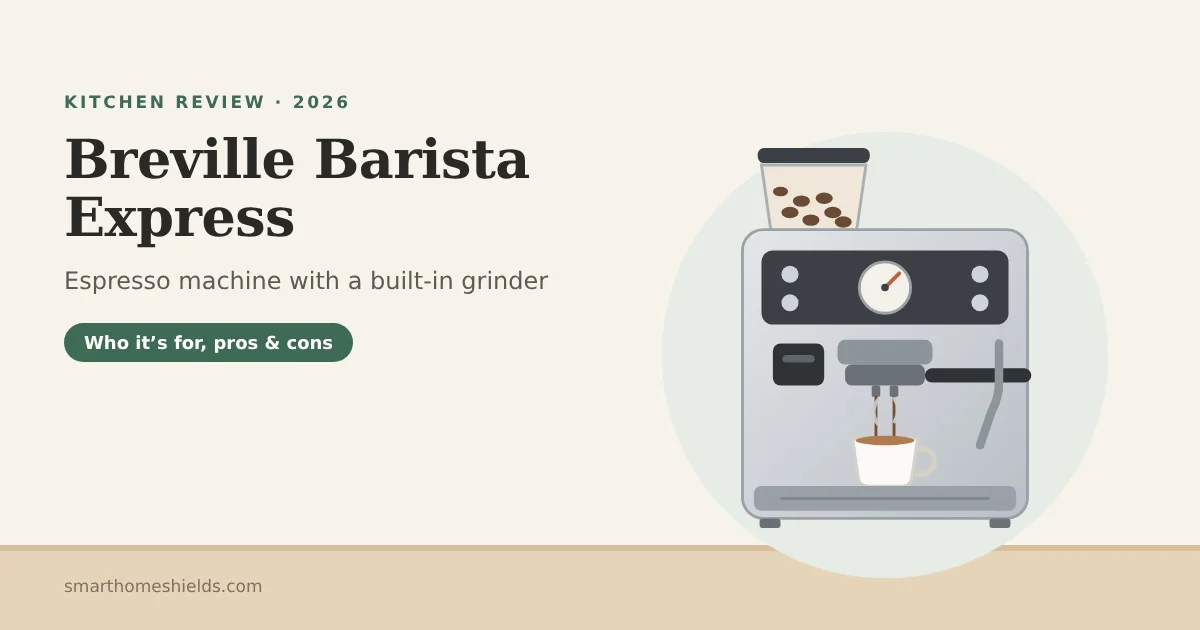
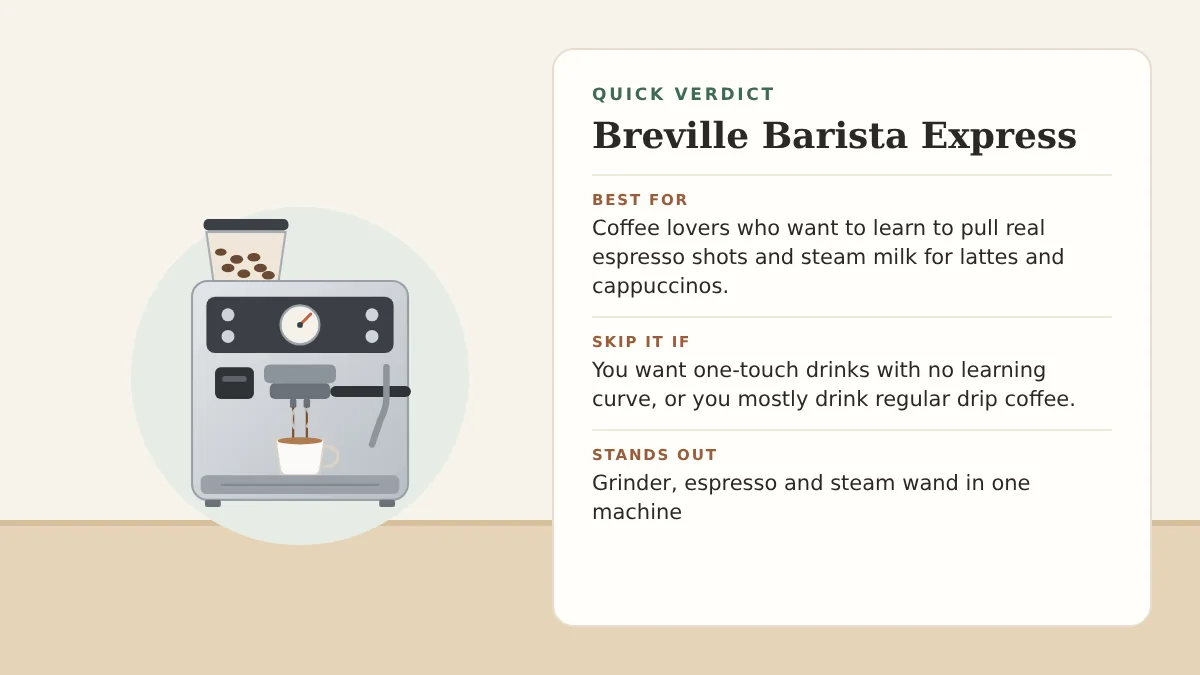
Barista Express or Barista Pro? We compare heat-up time, controls, grinder, steaming, size and warranty so you can pick the right Breville espresso machine. […]
Breville BOV900 Pro or BOV860? We compare cooking functions, interior size, footprint and accessories to help you choose the right Breville countertop oven. […]
KitchenAid Artisan (KSM150) or Classic (K45SS)? We compare bowl size, power, accessories, size and warranty to help you choose the right tilt-head stand mixer. […]
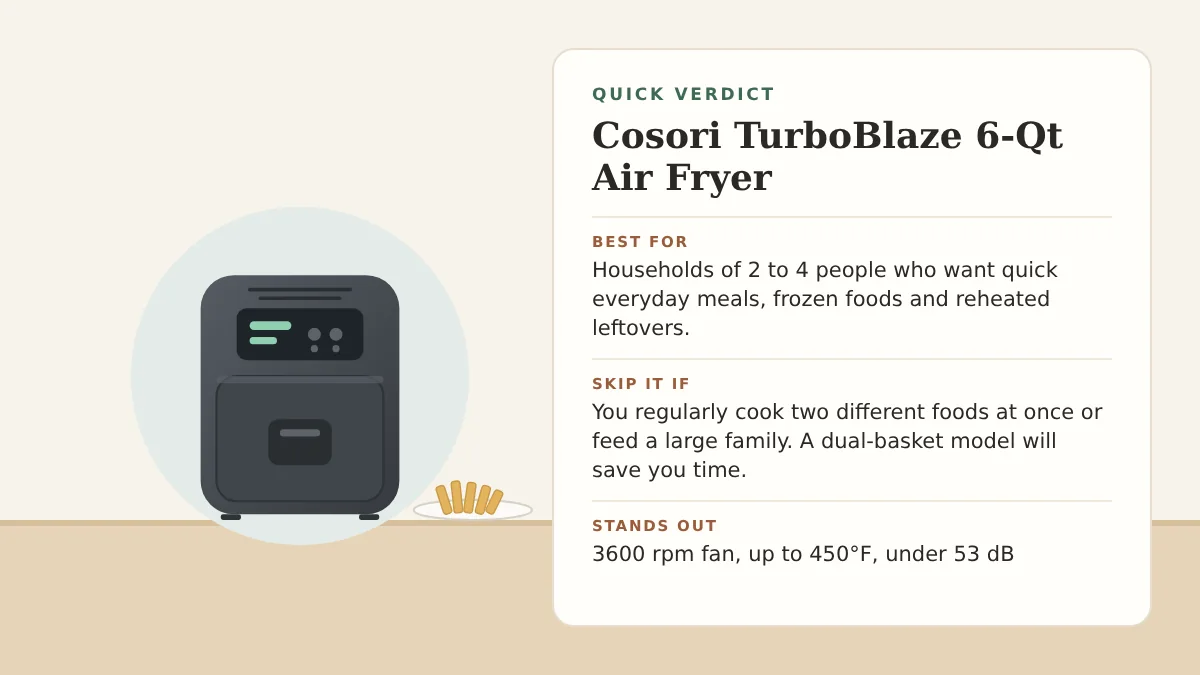
Cosori TurboBlaze 6-Qt or Ninja Air Fryer Pro AF142? We compare capacity, temperature, functions, noise, coating and size of two best-selling air fryers. […]
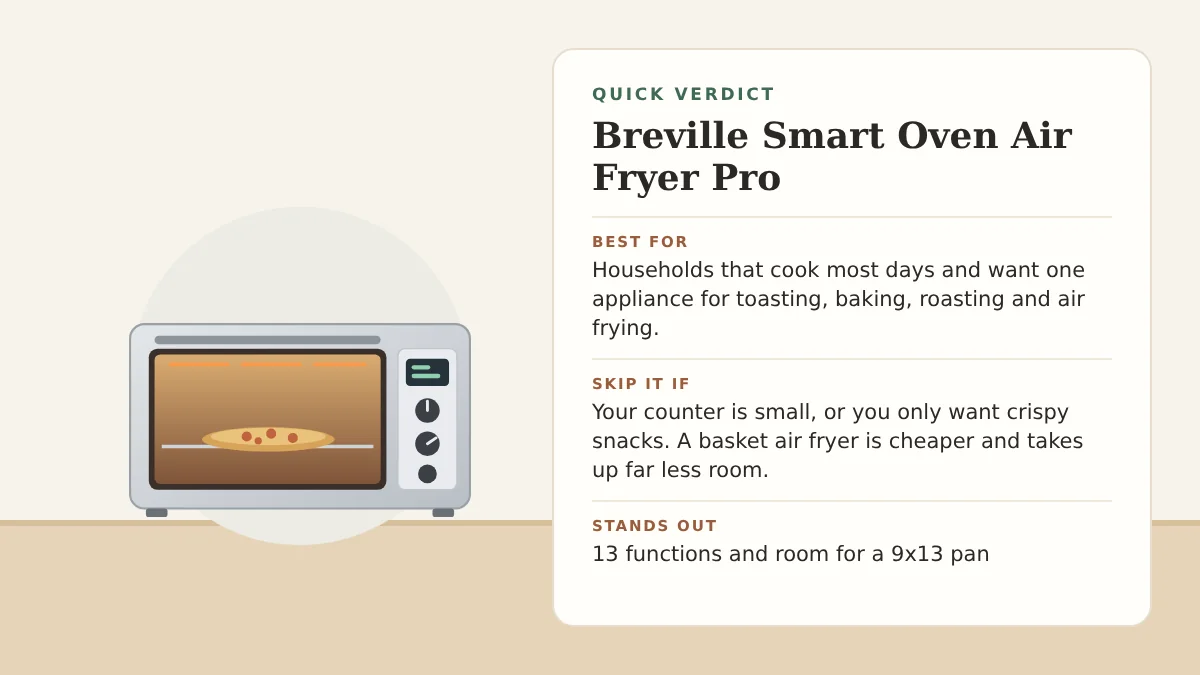
A large countertop oven with 13 cooking functions, including air fry and dehydrate. What it does well, the common complaints, and the best alternatives. […]
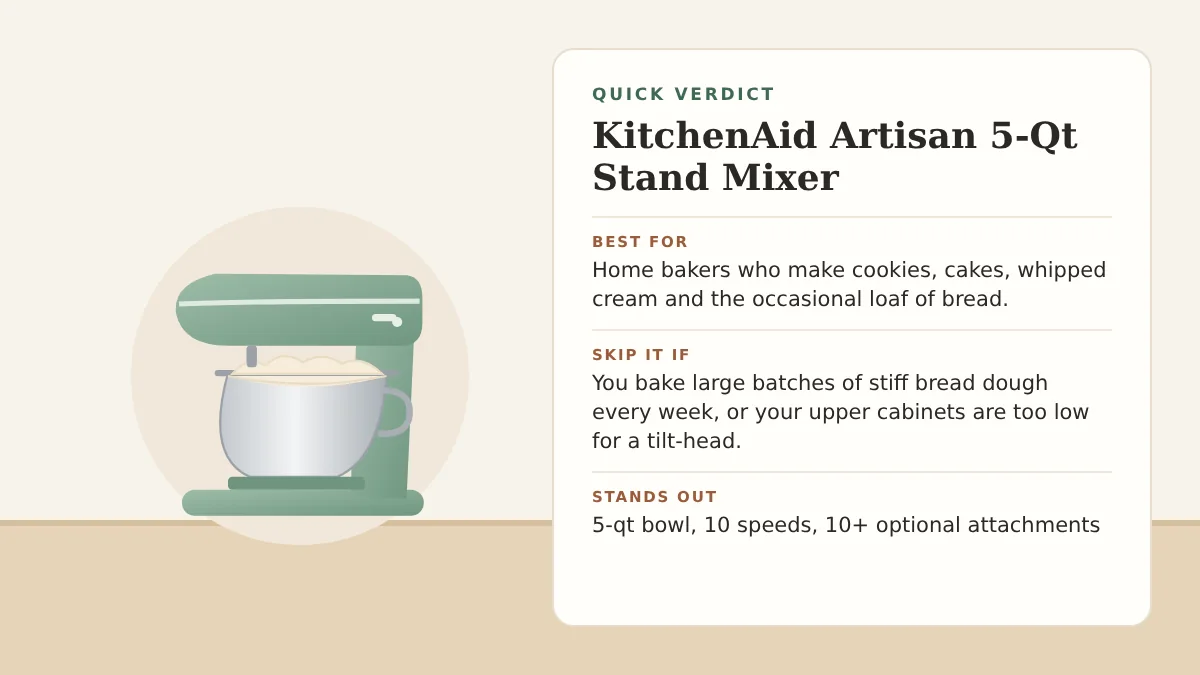
The tilt-head stand mixer most home bakers know. What the KitchenAid Artisan does well, what owners complain about, and when to choose a different model. […]
Slow cooker, Dutch oven, rice cooker, steamer, and more in one pot that goes from the base to the oven to the table. Here's what it really replaces […]
It learns your routine, evens out hot and cold rooms, monitors your air quality, and doubles as an Alexa or Siri speaker. Here's who it's really for […]
A pitcher cleans the water you drink, but your shower, laundry, and dishwasher still run on unfiltered tap water. A whole-house filter fixes every tap at once […]
Finding the right water filter pitcher can instantly upgrade your daily hydration without the need for complex plumbing or expensive under-sink installations […]
Clean drinking water is essential for a healthy home, but tap water often contains chlorine, heavy metals, and harmful contaminants […]
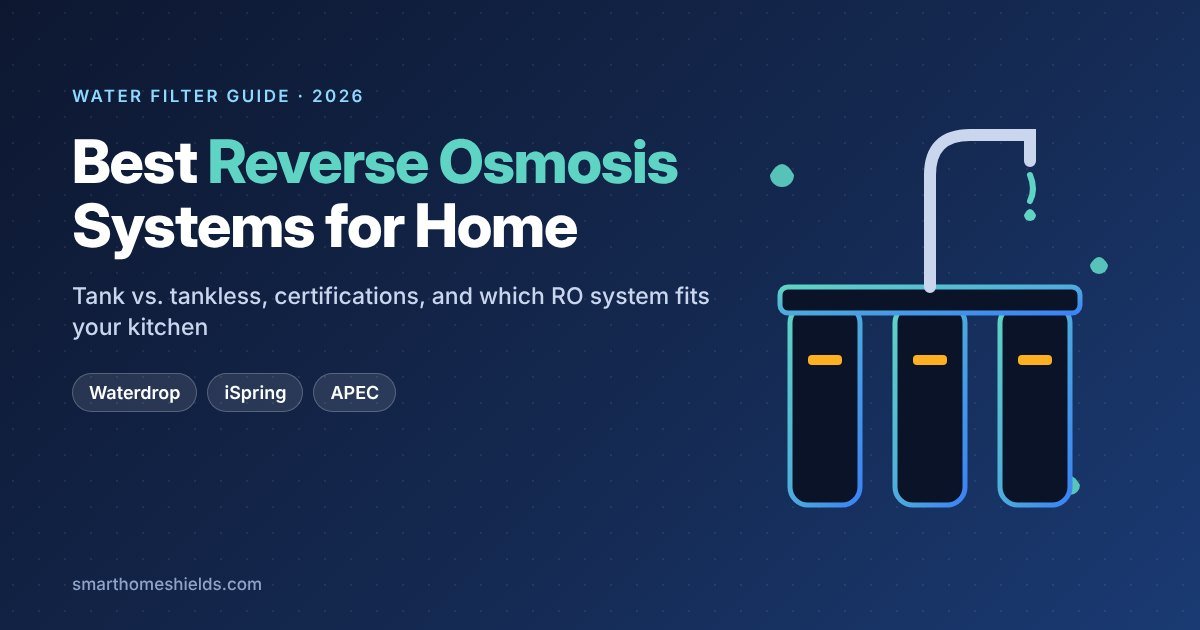
Clean drinking water is essential for a healthy home, but tap water often contains chlorine, heavy metals, PFAS, and other contaminants you can't see or taste. A reverse osmosis (RO) system is the most thorough way to filter drinking water at home: it pushes water through a membrane fine enough to remove most dissolved solids, then sends clean water to its own faucet at your kitchen sink.
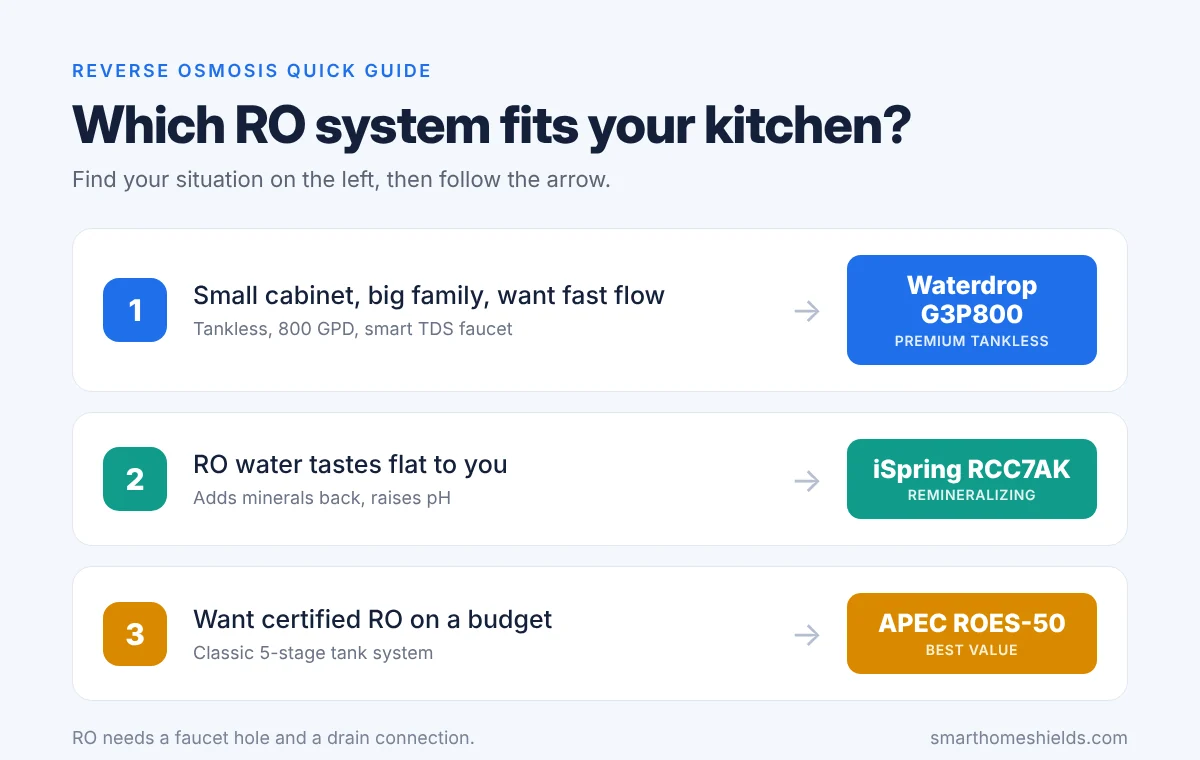
In this guide, we compare three of the best RO systems for US homes in 2026 — a premium tankless model, a remineralizing system, and a proven budget pick — based on certifications, filtration capacity, installation, and long-term upkeep.
This article contains Amazon affiliate links. As an Amazon Associate, we earn from qualifying purchases, at no extra cost to you. It doesn't affect which products we recommend.
The Waterdrop G3P800 is the system to get if under-sink space is tight and you want water fast. There's no storage tank: a built-in pump pushes water through the filters on demand, at up to 800 gallons per day. That's quick enough to fill a glass in seconds and keep up with a big family's cooking and drinking.
It also wastes less water than older RO designs. Waterdrop rates it at a 3:1 pure-to-drain ratio, meaning about one gallon goes down the drain for every three gallons of clean water. Traditional tank systems often send several gallons to the drain for each one they produce.
Key features
Certified to NSF/ANSI 42, 53, 58 and 372 (by IAPMO R&T) for reducing TDS, chlorine, taste and odor, and other contaminants.
Smart faucet with an LED display that shows your water's TDS level and filter life at a glance.
Tankless, compact design that frees up cabinet space.
Waterdrop says its multi-stage filtration reduces PFAS, fluoride, lead, chromium, nitrate and more, based on third-party (SGS) testing.
Pros: very fast flow with no tank to wait on; saves under-sink space; less wastewater than tank systems; real-time water quality display on the faucet.
Cons: needs an electrical outlet under the sink; installation means drilling two holes (one for the faucet, one for the drain connection); the most expensive system here; does not add minerals back.
Who it's for: larger households, small kitchens with little cabinet space, and anyone who wants the most convenient RO setup.
2. iSpring RCC7AK — Best for Remineralized (Alkaline) Water
Reverse osmosis is so thorough that it also strips out calcium and magnesium, which leaves some people finding the water flat-tasting. The iSpring RCC7AK solves this with a sixth "AK" stage that adds minerals back after the membrane and raises the water's pH, so it tastes closer to spring water.
It's one of the most popular RO systems in the US, and it's certified to NSF/ANSI 58 as a complete system, not just individual parts. iSpring lists high reduction rates for lead, fluoride, chlorine, PFAS and TDS.
Key features
6 stages including alkaline remineralization; produces up to 75 gallons per day into a storage tank.
Full-system NSF/ANSI 58 certification.
Transparent first-stage housing, so you can see when the sediment filter is getting dirty.
Top-mounted faucet fastener that lets you install the faucet from above the counter, which is easier than working under the sink.
Lifetime technical support from iSpring's team in Atlanta, GA.
Pros: better-tasting, mineralized water; full-system certification; huge user base and easy-to-find replacement filters; no electricity needed.
Cons: the storage tank takes up cabinet space; slower than tankless systems when refilling a big pot; more filters to replace than a 3-cartridge tankless model.
Who it's for: anyone who wants RO-level filtration without the "flat" taste, and buyers who value a long track record.
The APEC ROES-50 is a no-frills, proven 5-stage RO system that has been a go-to budget pick for years. It produces up to 50 gallons per day into a storage tank, which is plenty for drinking and cooking in most homes, and it's certified to NSF/ANSI 58 and 372.
It's designed for DIY installation, with quick-connect fittings and color-coded tubing. Everything you need comes in the box: the filter set, a brushed nickel faucet, the storage tank, and an installation kit.
Key features
5-stage filtration that APEC says removes up to 99.99% of impurities, including arsenic, chlorine, lead and fluoride.
Long-lasting filters: APEC recommends replacing them every 6 to 24 months, depending on your water.
Complete kit with faucet, tank and installation parts.
No electricity required.
Pros: strong value; simple, reliable design with no electronics to fail; DIY-friendly; widely available replacement filters.
Cons: lower output (50 GPD) and slower flow than tankless models; the tank takes up space; no remineralization stage.
Who it's for: budget-conscious households that want certified RO water without paying for smart features.
Tank systems (like the iSpring and APEC) store filtered water in a pressurized tank, so they need no electricity but take up cabinet space and slow down when the tank runs low. Tankless systems (like the Waterdrop) filter on demand, save space, and waste less water, but need a power outlet under the sink.
Look for NSF/ANSI 58
NSF/ANSI 58 is the standard specifically for reverse osmosis systems. NSF/ANSI 53 covers health-related contaminants like lead, 42 covers taste and odor, and 372 confirms lead-free components. Check whether the whole system is certified or only a part of it.
Think about taste
RO removes minerals along with contaminants. If you prefer water with a bit of "body," choose a system with a remineralization stage like the iSpring RCC7AK.
Plan the installation
Most RO systems need a dedicated faucet hole in your sink or countertop and a connection to the drain pipe. Handy homeowners can usually do it in an afternoon, but if your countertop is stone or quartz, a plumber may be worth it.
Budget for filters
Every RO system needs regular filter and membrane changes, so check the replacement schedule and filter cost before you buy, not just the system price.
Yes. RO is one of the most effective home methods for reducing both. Check each system's certifications and performance data for the exact reduction rates.
Does an RO system waste water?
All RO systems send some water down the drain to flush the membrane. Newer tankless models are more efficient: the Waterdrop G3P800 is rated at a 3:1 pure-to-drain ratio.
Is RO water healthy without minerals?
Most of the minerals in your diet come from food, not water. If you prefer the taste of mineralized water, a remineralization stage adds calcium and magnesium back.
Can I install an RO system in an apartment?
Usually, yes, if your landlord allows a dedicated faucet and drain connection. If not, a pitcher or countertop filter is the renter-friendly alternative.
Affiliate Disclosure: As an Amazon Associate, Smart Home Shields earns from qualifying purchases. Product details and availability on Amazon change often, so check the current listing before you buy.
Finding the right water filter pitcher can instantly upgrade your daily hydration without plumbing, drilling, or expensive under-sink installations. For many US homes, a reliable pitcher is the easiest and most budget-friendly way to cut chlorine taste, reduce lead, and make tap water taste better.
In this guide, we compare the top 3 water filter pitchers for 2026 based on what they actually remove, how long filters last, and how easy they are to live with every day.
This article contains Amazon affiliate links. As an Amazon Associate, we earn from qualifying purchases, at no extra cost to you. It doesn't affect which products we recommend.
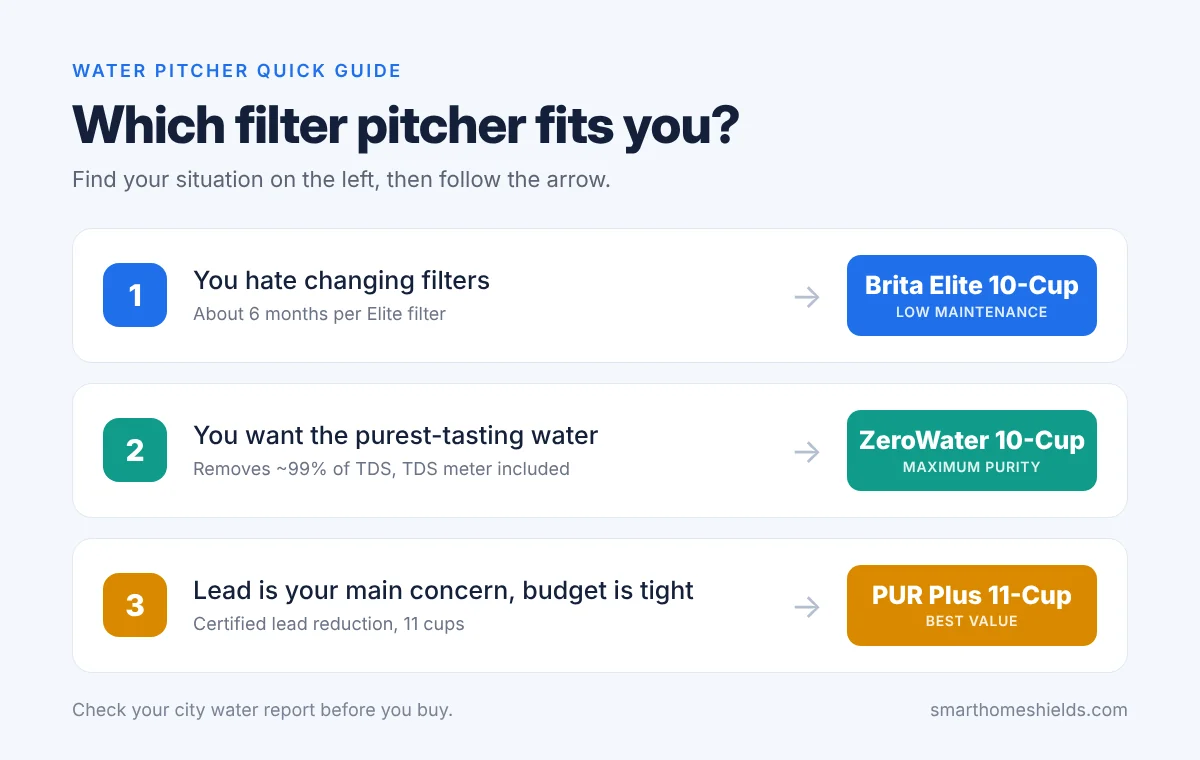
Brita is a staple in American kitchens, and the Elite filter is what makes this pitcher our top pick. One Elite filter lasts about 6 months (120 gallons), roughly three times longer than Brita's standard filter, so you only replace it twice a year. Brita says it reduces 99% of lead, plus chlorine taste and odor, cadmium, mercury, benzene, asbestos and microplastics.
Certified by WQA to NSF/ANSI standards.
Electronic indicator on the lid reminds you when to change the filter.
Fridge-friendly shape (about 10.7" tall) that holds enough to fill three 24-oz water bottles.
BPA-free, with an easy-fill lid.
Pros: the longest filter life here; strong lead reduction; easy to find replacement filters anywhere; Elite filters fit most Brita pitchers and dispensers.
Cons: the dense Elite filter pours slower than basic filters; doesn't remove total dissolved solids (minerals), so it won't make water taste "distilled".
If you want the purest-tasting water a pitcher can make, ZeroWater is the one. Its 5-stage ion exchange filter removes about 99% of total dissolved solids (TDS): the minerals, metals and salts that give tap water its taste. ZeroWater says it's the only pour-through filter NSF-certified to reduce lead, chromium and PFOA/PFOS.
Free TDS meter included, so you can test your tap water and see exactly when the filter is spent.
Ready-Pour spout lets you pour with one hand while the top reservoir is still filtering.
BPA-free.
Pros: the cleanest, crispest-tasting water of the three; certified for lead and PFOA/PFOS; the TDS meter takes the guesswork out of filter changes.
Cons: filter life depends heavily on your water: with hard or high-TDS water, filters wear out much faster, which makes it the most expensive to run in those areas.
PUR's 11-cup pitcher holds the most water of the three and comes with the PUR Plus filter, which is WQA-certified to reduce lead along with chlorine, mercury and other substances. Each filter lasts about 2 months (40 gallons).
Largest capacity here at 11 cups, in a space-saving shape for the fridge door or shelf.
Stay-tight lid so you can pour while it's still filtering.
Dishwasher safe pitcher and a filter change light.
Pros: strong lead reduction for the money; biggest capacity; dishwasher-safe for easy cleaning.
Cons: shorter filter life than Brita Elite, so you'll buy filters more often; doesn't remove TDS like ZeroWater.
Start with your water report. Your city publishes an annual Consumer Confidence Report. If lead is a concern in your area or you live in an older home, prioritize a filter certified for lead reduction (NSF/ANSI 53).
Count the real cost. The pitcher is cheap; filters are where you spend money. Compare how often each filter needs replacing, not just the price of the pitcher.
Decide what "clean" means to you. Brita and PUR keep healthy minerals and focus on contaminants like lead and chlorine. ZeroWater removes almost everything dissolved, which tastes cleaner but uses filters faster in hard-water areas.
Choose Brita Elite if you hate changing filters and want low maintenance. Choose ZeroWater if you want absolute purity. Choose PUR Plus if you want strong lead reduction on a budget.
Want filtered water at every tap? Pitchers only filter what you drink. For the shower and the rest of the house, see our picks for whole-house water filters, or upgrade your drinking water to a reverse osmosis system.
Follow the manufacturer's schedule: about every 6 months for Brita Elite and every 2 months for PUR Plus. For ZeroWater, replace the filter when the included TDS meter reads 006 or higher.
Do water filter pitchers remove PFAS?
Some do. ZeroWater is certified to reduce PFOA/PFOS. Check each filter's certification list for the specific contaminants you care about.
Why does my new filter make black specks?
Loose carbon dust is normal in new carbon filters. Soak or flush the filter as the instructions describe before first use.
Affiliate Disclosure: As an Amazon Associate, Smart Home Shields earns from qualifying purchases. Product details and availability on Amazon change often, so check the current listing before you buy.
This article contains affiliate links. If you sign up through them, we may earn a commission at no extra cost to you.
Running a modern digital business or a YouTube channel from a home office requires efficiency. You don't always have the time to sit in front of a camera, set up studio lighting, and record multiple takes. This is where AI video avatars come in. In 2026, two giants dominate the AI avatar market: HeyGen and Synthesia.
Both tools allow you to turn text scripts into video presentations using hyper-realistic digital humans. But which one is the right fit for your home business, and which offers the best return on investment?
In this direct comparison, we evaluate their features, video quality, and pricing to help you make the right choice.
1. Video and Avatar Quality: The Realism Test
When it comes to AI avatars, realism is everything. If the digital actor looks too robotic, your audience will close the video immediately.
HeyGen: HeyGen is currently the leader in realism and natural body language. Its avatars don't just move their lips; they blink naturally, nod, and use subtle hand gestures. HeyGen's "Instant Avatar" feature allows you to create a digital twin of yourself using just a 2-minute smartphone video.
Synthesia: Synthesia focuses heavily on corporate and educational videos. Their avatars are highly professional and well suited to presentation-style videos. While their expressions are clean, they sometimes feel slightly more rigid compared to HeyGen's dynamic movements.
2. Voice Quality and Language Support
Both platforms offer multi-language support, allowing you to scale your home business globally from day one.
HeyGen excels in voice cloning. If you upload your own voice, the AI can translate it into 40+ languages while keeping your unique vocal tone and accent.
Synthesia offers a library of over 140 built-in professional AI voices. Their pronunciation is excellent, making it a strong tool for step-by-step tutorials and security training videos.
3. Pricing and Plans (2026)
Since you are running this as a business asset, costs matter. Here's how much you need to invest.
HeyGen Pricing
Free Plan: 1 credit (about 1 minute of video).
Creator Plan ($24/month): 15 credits per month, premium voices, and 3 instant avatars.
Team Plan ($120/month): Co-editing, 30 credits, and 4K video rendering.
Synthesia Pricing
Starter Plan ($22/month): 10 minutes of video per month, 1 AI avatar.
Creator Plan ($67/month): 30 minutes of video per month, access to 90+ premium avatars.
Direct Comparison: HeyGen vs Synthesia
Feature
HeyGen
Synthesia
Best For
Social Media, YouTube, Dynamic Promos
Corporate Training, Presentation Slides
Avatar Realism
9.5 / 10
8.8 / 10
Pricing Setup
Better value for individual creators
Built for structured corporate teams
Ease of Use
Very intuitive drag-and-drop
Linear, slide-based editor
The Verdict: Which Tool Wins?
For home-based entrepreneurs, content creators, and affiliate marketers looking to build high-converting videos quickly, HeyGen is the clear winner. It provides more dynamic animations, superior voice cloning, and better overall value for solo operators.
However, if your business focuses strictly on corporate B2B clients, employee training, or long slide-based courses, Synthesia remains a powerful and highly reliable industry standard.
Affiliate Disclosure: Smart Home Shields earns a commission from some of the tools linked in this article, including Synthesia, at no extra cost to you. Plans and features change often, so check the current details on each site.
This article contains affiliate links. If you sign up through them, we may earn a commission at no extra cost to you.
Building a profitable YouTube Shorts channel no longer requires you to buy expensive cameras, set up studio lighting, or even show your face. In 2026, the "faceless channel" trend is at an all-time high. Content creators, freelancers, and stay-at-home entrepreneurs are building income streams by letting artificial intelligence do the heavy lifting.
If you are working from your home office and want to scale a video business quickly, this guide is for you. Here is a step-by-step framework to create engaging YouTube Shorts using AI tools.
Step 1: Find a Profitable Visual Niche
Before you generate a single second of video, you need a topic that people love to watch in short bursts. The most successful faceless niches in 2026 include:
Smart Home Tech & Automation: Futuristic gadgets, home hacks, and security tips.
Personal Finance & Side Hustles: Quick wealth-building strategies.
Deep Philosophy & Motivation: Stoic quotes and mental frameworks.
Tip: Choose a niche where companies sell software or physical products, so you can add affiliate links later.
Step 2: Automate the Script and Video with InVideo AI
Instead of spending hours writing a script and searching for stock footage, you can use a unified text-to-video platform. A leading option for this workflow is InVideo AI.
Log into the platform and select the YouTube Shorts workflow.
Enter a detailed prompt. For example: "Create a 50-second YouTube Short about 3 simple ways to secure a home Wi-Fi network from hackers. Keep the tone urgent and professional. Use a realistic male American voiceover."
Click generate. The AI will write the script, choose relevant background clips, add voiceover narration, and generate timed subtitles.
Step 3: Enhance the Video with an AI Avatar (Optional)
If your Short needs a "human" element to build trust, but you still don't want to go on camera, you can use realistic digital presenters.
Platforms like HeyGen allow you to choose a photorealistic AI avatar that will read your script with human-like expressions and lip-sync. This works especially well for software reviews, tech tutorials, and educational content.
Step 4: Fine-Tune and Edit Using Text Commands
One of the biggest mistakes amateur creators make is uploading raw, unedited AI videos. To stand out, refine your content:
Cut the fluff: Make sure the first 3 seconds have a strong hook (e.g., "Your home network is being attacked right now").
Use prompt editing: In InVideo AI, use the chat box to swap clips that look too generic. Type: "Replace the background clip at 0:15 with a close-up of a modern smart router."
Add clean audio: Keep the background music engaging but never louder than the voiceover.
Step 5: Optimize for Clicks and Affiliate Sales
Once your video is ready, export it in 1080×1920 (vertical format). When uploading to YouTube, don't just chase ad revenue. A big share of earnings comes from your descriptions and pinned comments.
Place direct links to the tools you mention in your video descriptions and pinned comments:
Clean, professional links build trust with viewers, who are much more likely to click and upgrade to paid plans.
Final Thoughts
Creating successful Shorts is no longer a matter of technical editing skills; it's a matter of consistent workflow. By dedicating a few hours a day to your AI video engine, you can schedule weeks of content in advance. Start with a sharp hook, use text-to-video, and set up your affiliate monetization from day one.
Affiliate Disclosure: Smart Home Shields earns a commission from some of the tools linked in this article, including InVideo AI, at no extra cost to you. We only recommend tools we believe are useful for home-based businesses; plans and features change often, so check the current details on each site.
This article contains affiliate links. If you sign up through them, we may earn a commission at no extra cost to you.
Running a modern digital startup from home means you are constantly trading time for growth. Marketing is non-negotiable, but spending hours recording video content can paralyze your daily operations.
In 2026, home entrepreneurs are breaking through this bottleneck by launching faceless video marketing engines driven by artificial intelligence.
Faceless video channels on YouTube Shorts, TikTok, and Instagram Reels let you build an audience and generate affiliate revenue without ever stepping in front of a camera.
Here is how you can use AI to build a scalable video production workflow right from your home office desk.
The Efficiency of a Text-to-Video Workflow
Traditional video editing requires raw footage, a quiet room, professional microphones, and advanced software skills. AI-driven text-to-video tools remove all of these barriers.
With platforms like InVideo AI, you can turn a simple written concept into a fully edited, high-definition video.
What the AI Handles Automatically
Writes an engaging script based on your raw topic.
Pulls relevant premium stock footage from large libraries.
Generates a natural, human-like voiceover with good pacing.
Adds animated subtitles that match the audio.
This saves you hundreds of dollars on asset libraries and eliminates tedious editing hours.
Adding the Human Element with AI Avatars
While text-to-video is perfect for quick social media clips, building a personal brand or high-converting product demos often requires a human presence.
If you prefer to protect your privacy but still want a dynamic presenter, digital presenters are the answer. Platforms like HeyGen let you choose photorealistic AI avatars that speak directly to your audience.
Key Capabilities of Modern Avatars
Photorealistic expressions, including natural blinking and head nods.
Accurate lip-syncing that matches any uploaded script.
Voice cloning to create a digital twin of your own voice.
One-click translation into dozens of languages.
This lets your home business reach global markets right from your desk.
Streamlining Your Content Calendar
To build topic authority in the eyes of search algorithms, consistency is key. Aim to schedule at least 3 to 5 videos per week.
Your Simple Automated Workflow
Batch your prompts: Spend one hour on Monday generating all your scripts and video outlines with AI.
Refine with text commands: Use text commands inside your video editor to swap generic clips for custom tech graphics.
Embed clean calls-to-action: Direct viewers to a short, clean link in your pinned comments.
By treating video production as an automated system rather than a creative chore, you protect your energy and keep a steady flow of traffic coming to your business website.
Affiliate Disclosure: Smart Home Shields earns a commission from some of the tools linked in this article, including InVideo AI, at no extra cost to you. We only recommend tools we believe are useful for home-based businesses; plans and features change often, so check the current details on each site.
This article contains affiliate links. If you sign up through them, we may earn a commission at no extra cost to you.
Working from a home office offers incredible freedom, but it also comes with a major challenge: you have to manage everything by yourself. From creating content and marketing your brand to managing daily schedules and administrative tasks, the workload can quickly become overwhelming.
In 2026, the key to scaling a home business without burning out is AI automation. With the right tools, you can turn your quiet workspace into a highly efficient digital operation.
Here are the top 5 AI tools to integrate into your home office setup to maximize productivity and revenue.
1. InVideo AI — Best for Video Content Creation
If your home business relies on video marketing, social media traffic, or a YouTube Shorts channel, InVideo AI is a must-have.
Instead of spending hours writing scripts, sourcing stock footage, and editing clips on a complex timeline, you can automate the process with simple text prompts.
Key benefits
Automates scriptwriting
Generates complete videos with realistic voiceover
Adds graphics and custom subtitles
Produces videos in minutes
It's an ideal tool for scaling faceless video channels from home.
2. HeyGen — Best for Photorealistic AI Avatars
For remote entrepreneurs, freelancers, and educators who need a professional presenter in their videos but don't want to go on camera, HeyGen is the go-to choice.
HeyGen generates realistic digital presenters that deliver your scripts with accurate lip-syncing and natural expressions.
What it enables
Photorealistic AI presenters
Advanced voice cloning — a digital twin of your own voice
Presentations, tutorials, and promo videos without camera gear
3. Notion AI — Best for Smart Workspace Organization
Keeping your projects, content schedules, and business data organized is vital when running a business from home. Notion AI acts as a digital assistant built directly into your workspace.
Capabilities
Summarizes long reports
Drafts emails
Brainstorms content ideas
Proofreads your writing
4. Zapier AI — Best for Workflow Automation
To truly automate your home office, your software tools need to talk to each other without manual work. Zapier AI lets you build automation chains (Zaps) using plain English.
Example automation: "Whenever I publish a new article on my WordPress site, create a summary post and schedule it on my social media channels."
5. Krisp AI — Best for Professional Home Office Audio
Clear communication on video calls is crucial for a remote business. Krisp AI is noise-canceling software that sits between your microphone and apps like Zoom or Google Meet.
What it removes
Barking dogs
Loud air conditioners
Household noise
Background distractions
Summary of the Top AI Tools for Home Offices
Tool
Core Benefit
Best For
InVideo AI
Fast text-to-video production
Content marketers & YouTube Shorts
HeyGen
Realistic video presenters
AI avatar tutorials
Notion AI
Intelligent writing and organization
Content calendars & planning
Zapier AI
Connects apps with plain text
Workflow & social automation
Krisp AI
Studio-quality audio isolation
Client calls & webinars
Final Verdict: Which Tools to Choose First?
You don't need all five subscriptions on day one. Start by securing your content engine.
Combining the text-to-video speed of InVideo AI with the realism of HeyGen lets you produce professional content at scale.
Once your content flow is established, add organization and workflow automation tools to protect your time and grow your revenue.
Affiliate Disclosure: Smart Home Shields earns a commission from some of the tools linked in this article, including InVideo AI, at no extra cost to you. We only recommend tools we believe are useful for home-based businesses; plans and features change often, so check the current details on each site.
This article contains affiliate links. If you buy through them, we may earn a commission at no extra cost to you.
Transitioning into remote work or launching a business from a home workspace brings unmatched flexibility. However, it also opens up serious digital vulnerabilities.
In 2026, cybercriminals increasingly target residential networks, knowing that sensitive work data and financial credentials are often protected by nothing more than a standard home router.
When your home office is packed with smart bulbs, security cameras, and AI tools, every connected device becomes a potential entry point.
To protect your livelihood, you need to build a solid security layer around your local network.
1. Segment Your Network Using Guest Wi-Fi
The simplest way to protect your work computer is to isolate it from the rest of your house. Most modern routers let you create a secondary "Guest Network."
Place all your smart home appliances — smart plugs, lights, and baby monitors — on the guest network.
Why Network Isolation Matters
Stops lateral movement: If a hacker breaches a vulnerable smart bulb, they can't reach your computer.
Protects business drives: Keeps your work laptop on a separate private network.
Secures financial data: Shields work credentials from compromised local devices.
2. Upgrade to an AI-Powered Mesh Wi-Fi System
Routers supplied by internet providers often lack advanced firewalls and robust hardware. Upgrading to a quality mesh Wi-Fi system significantly strengthens your defenses.
Many modern routers use AI to monitor network traffic in real time.
Advanced Protection Features
Flags unauthorized login attempts from outside sources.
Detects unusual traffic moving within your home network.
Isolates suspicious devices before they can affect the rest of your network.
3. Implement a Router-Level VPN
Running a VPN on your individual computer is good, but securing your entire house at the source is more effective.
By installing an encrypted VPN service directly on your main router, every device in your home is covered at once.
Major VPN providers such as NordVPN publish setup guides for popular router models. If your router isn't supported, you can install the VPN app on each computer and phone instead.
Prevents your internet provider and local snoops from tracking your online activity.
Cybersecurity Checklist for Your Remote Workspace
Action
Security Benefit
Time
Change default passwords
Prevents automated brute-force attacks
Under 5 minutes
Enable guest isolation
Stops malware spreading across devices
10 minutes
Turn on automatic updates
Patches known security vulnerabilities
2 minutes
Use WPA3 encryption
Secures Wi-Fi with modern standards
5 minutes
Securing your workspace isn't about being paranoid; it's about protecting your income. Take an hour this week to audit your router settings, apply modern encryption, and keep your digital assets out of reach.
Affiliate Disclosure: Smart Home Shields earns a commission from some of the services linked in this article, including NordVPN, at no extra cost to you. Plans and features change often, so check the current details on the provider's site.
This article contains affiliate links. If you sign up through them, we may earn a commission at no extra cost to you.
Running a small business already means juggling marketing, customers, emails, and day-to-day operations. Creating professional video content shouldn't feel like another full-time job.
AI video makers can turn a simple idea, product description, or written script into polished content without requiring a camera, editing experience, or a dedicated production team.
Here are 3 AI tools that can help small businesses create more content while spending less time behind the editing timeline.
1. InVideo AI — Best for Fast Video Content Creation
If you need to turn ideas into finished marketing videos quickly, InVideo AI is built for exactly that.
Instead of starting with a blank editing timeline, you describe the video you want and let the AI handle much of the production — script, visuals, narration, subtitles, music, and structure.
What makes it useful for small businesses
Turns simple prompts into complete videos
Helps generate scripts and visual scenes
Adds AI voiceovers, subtitles, and graphics
Useful for YouTube, advertisements, and social media
Makes producing multiple videos much faster
For a business trying to stay active on social media without hiring a production team, this makes the whole process considerably easier.
Not every business wants videos built from stock footage and animated graphics. Sometimes you simply need someone to explain the product, introduce the company, or walk customers through a service.
That's where HeyGen comes in. Instead of recording yourself every time, you create videos with AI avatars that present your script on camera — ideal for tutorials, presentations, product explanations, and promotional content.
What you can create
AI presenter videos
Product demonstrations
Training and educational videos
Marketing presentations
Multilingual content
Personalized business videos
3. VEED — Best for AI-Assisted Video Editing
Sometimes you don't want AI to do absolutely everything. You want it to handle the repetitive work while you stay in control of the final video.
VEED combines AI creation tools with a browser-based editor. Start with an idea or script, generate parts of the video with AI, then make your own adjustments.
Useful features include
AI-assisted video creation
Automatic subtitles and captions
AI voiceovers
Browser-based editing
Social-media video tools
Easy adjustments after generation
Buying Guide: Which AI Video Maker Should You Choose?
The right tool depends less on which one has the most features and more on how you actually want to make videos.
Choose InVideo AI if you want to go from a simple idea to a finished marketing video with as little manual work as possible.
Choose HeyGen if you want a realistic AI presenter to deliver your scripts without recording yourself.
Choose VEED if you want AI to speed up the boring parts while keeping control over the final edit.
For a small business, the biggest advantage isn't making one video faster. It's being able to turn one idea into consistent content again and again.
Affiliate Disclosure: Smart Home Shields earns a commission from some of the tools linked in this article, including InVideo AI, at no extra cost to you. We only recommend tools we believe are useful for home-based businesses; plans and features change often, so check the current details on each site.
This article contains affiliate links. If you sign up through them, we may earn a commission at no extra cost to you.
Not every business video needs a full production. Sometimes you just need someone to explain a product, walk a customer through a service, or deliver a training video — without setting up a camera, mic, and lighting every single time.
AI avatar tools solve exactly that. You write a script, pick a presenter, and the tool generates a realistic on-camera video. No filming, no reshoots when the script changes.
HeyGen is built around one thing: making the avatar look and sound like a real person. Its newer Avatar IV model is widely considered the most natural-looking option on the market, and it renders fast enough that you can update a script and have a new version ready in minutes.
It also translates a single script into 175+ languages with matching lip sync, which is genuinely useful if your customers aren't all English-speaking.
Best used for
Product demos and explainer videos
Sales outreach and cold intros
Marketing and social content
Multilingual versions of the same script
Average Price: Free plan available; Creator plan starts around $29/month (roughly $24/month billed annually).
Pros: The most natural-looking avatar movement of the major tools; fast rendering; strong multilingual lip sync.
Cons: Premium avatar quality draws down credits faster than the base plan suggests; extra seats and custom avatar slots cost more on top of the plan price.
2. Synthesia — Best for Training and Onboarding Video
Synthesia is the tool most companies reach for when the video is meant to teach something. It has one of the largest avatar libraries, strong language coverage, and deep integrations with learning platforms — SCORM export, LMS connectors, and the enterprise controls training teams actually ask for.
It's less built for quick marketing clips and more for the video your new hires watch in week one.
Best used for
Employee onboarding and training
Compliance and policy walkthroughs
Internal knowledge base videos
Multilingual training libraries
Average Price: Free plan (10 min/month, watermarked); Starter plan around $29/month, roughly $18/month billed annually.
Pros: Large, polished avatar library; best-in-class LMS and course-platform integrations; strong language coverage.
Cons: A custom avatar costs $1,000/year as an add-on; content goes through a review queue before publishing, which can add delay.
3. Colossyan — Best for Interactive Training on a Budget
Colossyan covers similar ground to Synthesia but leans harder into interactivity — branching scenarios and in-video quizzes that react to what the viewer clicks. If what you're really building is a short course rather than a single explainer, this is the more purpose-built option, and it's cheaper to get into.
Best used for
Interactive onboarding with quizzes
Compliance training that needs to confirm comprehension
Small teams building their first training library
SCORM exports without an enterprise contract
Average Price: Free plan (limited minutes); Starter plan around $27/month, roughly $19/month billed annually.
Pros: Branching and quizzes built into the video itself; SCORM export on standard plans, not locked to enterprise; no content review queue.
Cons: Fewer avatars and less polish than Synthesia; overkill if you just need a straightforward marketing clip.
Buying Guide: Which AI Avatar Tool Should You Choose?
The right tool depends less on features and more on what the video is actually for.
Choose HeyGen if you want the most realistic presenter for marketing, sales, or customer-facing video.
Choose Synthesia if you're building a training or onboarding library and need enterprise-grade integrations.
Choose Colossyan if the video needs to teach something interactively, without an enterprise price tag.
Affiliate Disclosure: Smart Home Shields earns a commission from some of the tools linked in this article, including Synthesia, at no extra cost to you. Plans and features change often, so check the current details on each site.
Managing your own calendar while running a business is where most solo founders lose control of their week. AI scheduling tools now handle the back-and-forth of booking, protect your focus time, and stop the double-bookings that used to be a daily headache. Here are the 7 best in 2026.
1. Motion — Best Overall for AI Calendar Planning
Motion rebuilds your calendar daily using AI, automatically slotting in tasks, meetings, and deadlines around each other so nothing gets double-booked or lost.
Key Benefits
Automatically reschedules your day as things change
Blends tasks and meetings into one smart calendar
Protects deadlines by planning backward from them
Reduces manual calendar management to near zero
2. Reclaim AI — Best for Protecting Focus Time
Reclaim automatically defends blocks of focus time on your calendar and reschedules them around new meetings instead of letting them get wiped out.
Key Benefits
Auto-defends focus time from meeting requests
Syncs tasks, habits, and meetings in one view
Flexible rules for what can and can't be moved
Free tier covers most solo use cases
3. Calendly AI — Best for Client Booking Links
Calendly remains the standard for letting others book time with you, and its AI features now suggest optimal times and handle rescheduling automatically.
Key Benefits
Simple booking links for clients and prospects
AI-suggested times based on availability patterns
Automatic time zone handling
Integrates with most calendar and payment tools
4. Clockwise — Best for Minimizing Meeting Fragmentation
Clockwise uses AI to rearrange your meetings into clusters, protecting longer uninterrupted blocks of time instead of leaving your day fragmented.
Key Benefits
Groups meetings to protect longer focus blocks
Automatically resolves scheduling conflicts
Shows your team's availability at a glance
Useful once you start working with contractors
5. Cal.com — Best Open-Source Alternative
Cal.com offers the same AI-assisted booking experience as Calendly but with more customization and control, appealing if you want to fully brand your booking page.
Key Benefits
Fully customizable booking page and branding
AI scheduling assistance built in
Open-source, so it's highly flexible
Generous free tier for solo users
6. Trevor AI — Best for Daily Task Planning
Trevor focuses on turning your to-do list into an actual scheduled day, using AI to estimate how long tasks take and slot them into open calendar time.
Key Benefits
Turns to-do lists into time-blocked schedules
Learns how long your tasks actually take
Simple drag-and-drop interface
Good for founders who plan day-by-day, not week-by-week
7. Fantastical — Best for Natural Language Scheduling
Fantastical lets you type or speak an event in plain language ("lunch with Sarah next Tuesday at noon") and its AI parses and schedules it instantly.
Key Benefits
Natural language event creation
Clean, fast interface across devices
Weather and travel time integration
Especially popular with Apple users
Comparison Table
Tool
Best For
Starting Price
Motion
Full AI day planning
~$34/mo
Reclaim AI
Protecting focus time
Free tier, paid from ~$8/mo
Calendly AI
Client booking links
Free tier, paid from ~$12/mo
Clockwise
Reducing meeting fragmentation
Free tier, paid from ~$8/mo
Cal.com
Custom-branded booking
Free tier, paid from ~$15/mo
Trevor AI
Daily task scheduling
Free tier, paid from ~$5/mo
Fantastical
Natural language scheduling
~$8/mo
Bottom Line
If you want your whole day auto-planned, start with Motion or Reclaim AI. If you mainly need a clean way for clients to book time with you, Calendly or Cal.com is the simpler fix.
Answering every customer message yourself doesn't scale — especially when you're running a business solo from home. AI chatbots have gotten good enough in 2026 to handle real support conversations, not just canned FAQ replies. Here are the five best options for small operations.
1. Intercom Fin — Best Overall for AI Support
Fin is Intercom's AI agent, trained on your help docs and past conversations to resolve customer questions on its own — and it hands off to you smoothly when it can't.
Key Benefits
Resolves common questions without human input
Trained directly on your existing help content
Smooth handoff to you for complex issues
Works across chat, email, and social messaging
2. Tidio AI — Best for Small Online Stores
Tidio is built with small ecommerce and service businesses in mind, combining live chat, AI replies, and simple automation without a steep learning curve.
Key Benefits
Easy setup, no technical background needed
AI auto-responds to common product and order questions
Combines live chat and chatbot in one tool
Affordable plans built for small businesses
3. Chatbase — Best for Building a Custom AI Agent
Chatbase lets you upload your own documents, FAQs, or website content and turns it into a custom-trained chatbot in minutes — ideal if your business has specific policies or processes.
Key Benefits
Train the bot on your own content in minutes
No coding required to launch
Embeds directly on your website
Good for businesses with unique FAQs or processes
4. Crisp AI — Best for Multi-Channel Support
Crisp combines live chat, email, and messaging apps into one inbox with AI assistance layered on top, so you're not juggling five different platforms to answer customers.
Key Benefits
Unifies chat, email, and messaging apps in one place
AI suggests or auto-sends replies
Affordable for solo operators
Simple shared inbox if you add help later
5. Zendesk AI — Best for Scaling Support as You Grow
Zendesk is the more established name here, and its AI layer is a solid choice once your business gets enough volume that you need real reporting and structure, not just a simple chatbot.
Key Benefits
AI-powered ticket routing and suggested replies
Strong reporting as your support volume grows
Scales well from solo use to a small team
Integrates with most ecommerce and CRM tools
Comparison Table
Tool
Best For
Starting Price
Intercom Fin
Full AI resolution
Usage-based, from ~$39/mo
Tidio AI
Small online stores
Free tier, paid from ~$29/mo
Chatbase
Custom-trained bots
Free tier, paid from ~$19/mo
Crisp AI
Multi-channel inbox
Free tier, paid from ~$25/mo
Zendesk AI
Scaling support
Paid from ~$55/mo
Bottom Line
If you're just starting out, Tidio or Chatbase get you running fast and cheap. Once volume grows and you need real reporting, Zendesk AI or Intercom Fin are worth the higher price tag.
This article contains affiliate links. If you buy through them, we may earn a commission at no extra cost to you.
You don't need a $5,000 setup to run a serious home office in 2026. Between affordable smart devices and AI tools with generous free tiers, you can build a secure, productive workspace for a fraction of what it used to cost. Here are the 7 essentials worth prioritizing.
1. A Mesh Wi-Fi System
Weak Wi-Fi kills productivity faster than anything else. A basic mesh system covers your whole home and eliminates dead zones — critical if you're on video calls daily.
Smart plugs let you schedule and remotely control your monitor, lights, or router — a small convenience, but it adds up when you're managing a workspace solo.
Key Benefits
Schedule equipment on/off automatically
Control remotely if you forget to turn something off
Cheap entry point into smart home automation
Works with most voice assistants
3. An AI Note-Taking Tool
If you're on client or team calls, an AI note-taker pays for itself in saved time within the first week.
Key Benefits
Automatic transcription and summaries
Frees you from manual note-taking during calls
Searchable record of past conversations
Most have a usable free tier
4. A Budget Ring Light or Webcam
Video call quality affects how clients perceive you. A basic ring light or upgraded webcam is one of the cheapest credibility boosts available.
Key Benefits
Improves lighting for video calls instantly
Inexpensive compared to full studio setups
Portable — works at any desk
Noticeable difference in how professional you appear on camera
5. A Password Manager
Running a business means dozens of logins — client portals, banking, software tools. A password manager is cheap insurance against the most common home-office security mistake: reused passwords.
Key Benefits
Generates and stores strong unique passwords
Auto-fills logins across devices
Alerts you to breached or weak passwords
Most have affordable individual plans
6. An AI Automation Tool (like Zapier)
Once your tools are in place, automation connects them — a new client email triggers a task, a form submission updates a spreadsheet, and so on.
Key Benefits
Connects your apps without coding
Automates repetitive admin work
Free tier covers most solo use cases
Scales with you as your business grows
7. A VPN for Your Router
A router-level VPN protects every device on your network at once, which matters more when you're handling client data from home instead of a secured office network.
A popular choice is NordVPN, which offers apps for computers and phones as well as setup guides for many routers.
Pairs with your mesh Wi-Fi setup for full coverage
Bottom Line
Start with Wi-Fi and security (mesh router + VPN), then layer in an AI note-taker and automation tool once your foundation is solid. None of this requires a big upfront budget — most of these tools have free tiers, and the hardware pieces are one-time costs under $100 each.
Affiliate Disclosure: Smart Home Shields earns a commission from some of the services linked in this article, including NordVPN, at no extra cost to you. Plans and features change often, so check the current details on the provider's site.
The best way to reach the Smart Home Shields team is via email. We read every message and do our best to respond within 24–48 hours.
Welcome to Smart Home Shields — your trusted resource for home water purification guides, independent reviews, and eco-friendly living solutions.
Our mission is simple: to help families access clean, safe, and great-tasting drinking water right from their taps. We understand that navigating the world of reverse osmosis systems, under-sink filters, and water softeners can be overwhelming. That is why we do the heavy lifting for you.
Why Trust Smart Home Shields?
We analyze residential water filtration systems based on real market data, technical specifications, filtration efficiency, and honest user feedback. We evaluate the key factors that matter most to homeowners:
Water Quality
How effectively a system reduces harmful contaminants like lead, fluoride, and microplastics.
Value for Money
Balancing upfront costs with long-term filter replacement expenses.
DIY Friendliness
How easy it is for an average person to install and maintain the system without hiring an expensive plumber.
Our Commitment to Transparency
Smart Home Shields is supported by its readers. When you buy a product through our links, we may earn a small affiliate commission at no extra cost to you. This helps us keep the site running and maintain our editorial independence. We only recommend products and brands that meet high standards of safety and performance.
Thank you for visiting our site, and here's to a healthier, well-hydrated home!
— The Smart Home Shields Team
Writing product descriptions is one of those tasks that eats more time than it should. Every new item needs a description that sounds good, includes the right details, and doesn't read like every other listing on the internet — and most small business owners are writing dozens or hundreds of these on top of everything else running the business.
AI writing tools can turn a product name and a few specs into a finished, on-brand description in seconds, without hiring a copywriter or spending an afternoon staring at a blank text box.
In this independent review, we break down the top 3 AI tools for 2026 based on output quality, ease of use, and cost for a small catalog.
Copy.ai is built to get you from a blank product page to finished copy fast, without a steep learning curve. You feed it a product name, a few key features, and a tone, and it generates several description options to choose from or blend together.
For a small business writing a handful of new listings a week, this is the tool that asks the least of you upfront.
Best used for
New product listings on Shopify, Etsy, or Amazon
Rewriting thin or outdated descriptions
Generating multiple tone variations quickly
Solo founders who don't have a dedicated copywriter
Average Price: Free tier available; paid plans start around $24/month (annual billing, 5 seats).
Pros: Generous free tier for testing; fast output with multiple variations per request; simple enough to use without training.
Cons: Output can feel generic without editing; brand-voice consistency across a large catalog takes more manual guidance than some competitors.
If you're writing descriptions one product at a time, Describely is overkill. If you have a catalog of fifty, five hundred, or five thousand items, it's the opposite problem solved. It generates titles, descriptions, and meta tags for an entire product feed at once, and keeps formatting consistent across every listing.
Best used for
Large or fast-growing product catalogs
Sellers migrating a whole store to a new platform
SEO-focused titles and meta descriptions at scale
Businesses that add inventory in batches, not one at a time
Average Price: Free for the first 5 products, then roughly $0.75 per SKU after that.
Pros: Genuinely built for volume, not adapted for it; handles titles and meta tags alongside the description itself; pay-per-SKU pricing scales with actual usage.
Cons: Per-SKU pricing adds up fast for very large catalogs; less useful if you're only adding a few products a month.
3. Shopify Magic — Best Free Option for Shopify Stores
If your store already runs on Shopify, Shopify Magic writes descriptions directly inside the product editor you're already using — no new account, no new tab, no second interface to learn. You give it a few keywords and tone preferences, and it drafts a description right where you'd normally type one yourself.
Best used for
Shopify stores that want zero extra setup
Quick description drafts while adding products
Businesses not ready to pay for a dedicated copy tool
Keeping the whole workflow in one place
Average Price: Free with any Shopify plan.
Pros: Zero cost, zero setup, built into a tool you're already paying for; fast enough to use on every product without a second thought.
Cons: Only works inside Shopify; fewer tone and template options than dedicated copywriting tools.
Buying Guide: Which AI Copywriting Tool Should You Choose?
The right tool depends less on features and more on the size of your catalog and where you already sell.
Choose Copy.ai if you want a flexible, easy-to-use tool for a small, growing catalog.
Choose Describely if you're writing descriptions for dozens or hundreds of products at once.
Choose Shopify Magic if you're already on Shopify and want the simplest possible option at no extra cost.
One thing to check before you publish anything: AI-written descriptions can occasionally invent a spec or feature that isn't true. Always proofread against the actual product details before a description goes live — especially for materials, dimensions, or safety claims.
Most website visitors never call or email — they leave the moment a simple question goes unanswered. Hiring someone to sit on live chat all day isn't realistic for most small businesses, but leaving that box empty costs you customers every week.
AI chatbots close that gap. Trained on your own site content, they answer the questions customers actually ask, around the clock, without a support team behind them.
In this independent review, we break down the top 3 AI chatbots for 2026 based on setup speed, accuracy, and cost for a small site.
Tidio is built with online stores in mind, with tight Shopify integration that lets the bot answer order-status and product questions directly from your store data instead of giving generic replies.
Best used for
Order tracking and shipping questions
Product recommendations
Cart-recovery conversations
Shopify and WooCommerce stores
Average Price: Free plan available; paid plans scale up based on conversation volume.
Pros: Deep ecommerce platform integration; free tier is genuinely usable for a small store; easy visual setup.
Cons: Advanced automation and higher conversation limits require a paid tier; less suited to non-ecommerce sites.
Boei charges one flat monthly rate instead of billing per conversation, which makes it easy to budget for. It connects to more than 50 channels — website, WhatsApp, Instagram, and others — so one setup covers most of where your customers actually message you.
Best used for
Small sites wanting one flat monthly cost
Businesses messaging customers across multiple channels
Fast setup without a developer
WordPress, Shopify, or Wix sites
Average Price: Starts around $19/month flat, with roughly 2,000 AI messages included.
Pros: Predictable flat pricing instead of per-resolution billing; works on essentially any website platform; fast to set up.
Cons: Heavier message volume may require an upgrade sooner than the flat rate suggests.
3. Chatbase — Best for Training on Your Own Content
Chatbase lets you point it at your website, help docs, or uploaded files, and it builds a bot that only answers from that material — useful if accuracy matters more than a polished chat widget.
Best used for
FAQ and support automation from existing docs
Businesses with a help center or knowledge base
Reducing repetitive email and chat questions
Teams that want closer control over what the bot says
Average Price: Free tier available; paid plans start around $32/month with a message-credit allowance.
Pros: Strong accuracy, since answers are grounded in your own content; straightforward to retrain as your site changes.
Cons: Message credits run out faster than expected on busier sites; less built for multi-channel messaging than Boei.
Buying Guide: Which AI Chatbot Should You Choose?
The right tool depends less on features and more on what kind of questions your customers actually ask.
Choose Tidio if you run an online store and want order and product questions handled automatically.
Choose Boei if you want one predictable monthly bill across your website and social channels.
Choose Chatbase if accuracy and training on your own content matter more than a flashy widget.
One thing to check before you subscribe: several of these tools bill per conversation or per resolution rather than a flat rate, so a busy month can cost more than the headline price suggests. Confirm the billing model, not just the starting price.
Every call that goes to voicemail is a customer who might just call your competitor next. For a small business without a receptionist, that's a real cost — but paying a person to sit by the phone all day isn't realistic either.
AI phone answering services fill that gap. They pick up, answer common questions, book appointments, and forward anything that needs a human — all without adding a headcount.
In this independent review, we break down the top 3 AI answering services for 2026 based on call quality, setup speed, and cost for a small business.
1. Rosie — Best for Solo Owners and Small Service Businesses
Rosie is built for businesses that just need reliable, simple call coverage — plumbers, salons, contractors, small offices. It trains itself on your website and Google Business Profile, so it can answer basic questions about hours, services, and pricing without manual setup.
Best used for
After-hours and overflow call coverage
Home service businesses (plumbing, HVAC, contractors)
Solo owners who can't answer every call themselves
Bilingual customer bases
Average Price: Plans start around $49/month (250 minutes included), up to $299/month for higher volume.
Pros: Simple setup with no scripting required; bilingual English/Spanish support on all plans; generous minutes on the entry plan.
Cons: No human fallback if the AI gets stuck; fewer advanced integrations than pricier competitors.
2. Smith.ai — Best When You Want a Human Safety Net
Smith.ai pairs AI answering with real human receptionists who step in when a call needs judgment a bot can't provide. That hybrid model makes it the safer choice for businesses where a mishandled call genuinely costs money — a law office or a financial advisor, for example.
Best used for
Law firms, financial advisors, and other judgment-heavy calls
Businesses that want AI plus a human backup
Lead qualification and appointment scheduling
Live chat and text alongside phone coverage
Average Price: Self-service AI plans start around $150/month; hybrid human-backed plans start around $300/month.
Pros: Real people available when the AI can't handle a call; handles chat and SMS in addition to phone; well-established and proven at scale.
Cons: Meaningfully more expensive than pure-AI competitors; per-call pricing can make monthly cost less predictable.
Dialzara is the cheapest credible entry point into AI answering, with a flat monthly rate and no per-user charges. Setup is fast — point it at your website and the agent is ready — which makes it a low-risk way to test whether AI answering is worth it before spending more.
Best used for
Solopreneurs and very low call volume
Testing AI answering before committing to a pricier tool
Basic appointment booking and call transfers
Two-way SMS alongside phone coverage
Average Price: Starts around $29/month with 60 minutes included; higher tiers available for more volume.
Pros: Lowest cost of entry in the category; fast setup from just a website URL; includes SMS and Zapier integration even on the entry plan.
Cons: 60 minutes disappears quickly beyond light call volume; per-minute overage adds up if you underestimate usage.
Buying Guide: Which AI Answering Service Should You Choose?
The right tool depends less on features and more on how much risk a missed or mishandled call actually carries for your business.
Choose Rosie if you run a small service business and just need reliable, simple call coverage.
Choose Smith.ai if a mishandled call could cost you a client and you want a human backup available.
Choose Dialzara if you're testing the waters on a tight budget and don't yet know your real call volume.
One thing to check before you subscribe: several of these price by the minute or per call, so estimate your actual monthly call volume first — a plan that looks cheap on the homepage can get expensive fast once you're over its included minutes.
A water filter pitcher or under-sink system cleans the water you drink. But your shower, washing machine, dishwasher, and bathroom taps still run straight from the city supply. A whole-house water filter is installed where water enters your home, so every tap gets filtered water.
In this independent review, we break down the top 3 whole-house water filters for 2026 based on filter life, water flow, and long-term cost.
This article contains Amazon affiliate links. As an Amazon Associate, we earn from qualifying purchases, at no extra cost to you. It doesn't affect which products we recommend.
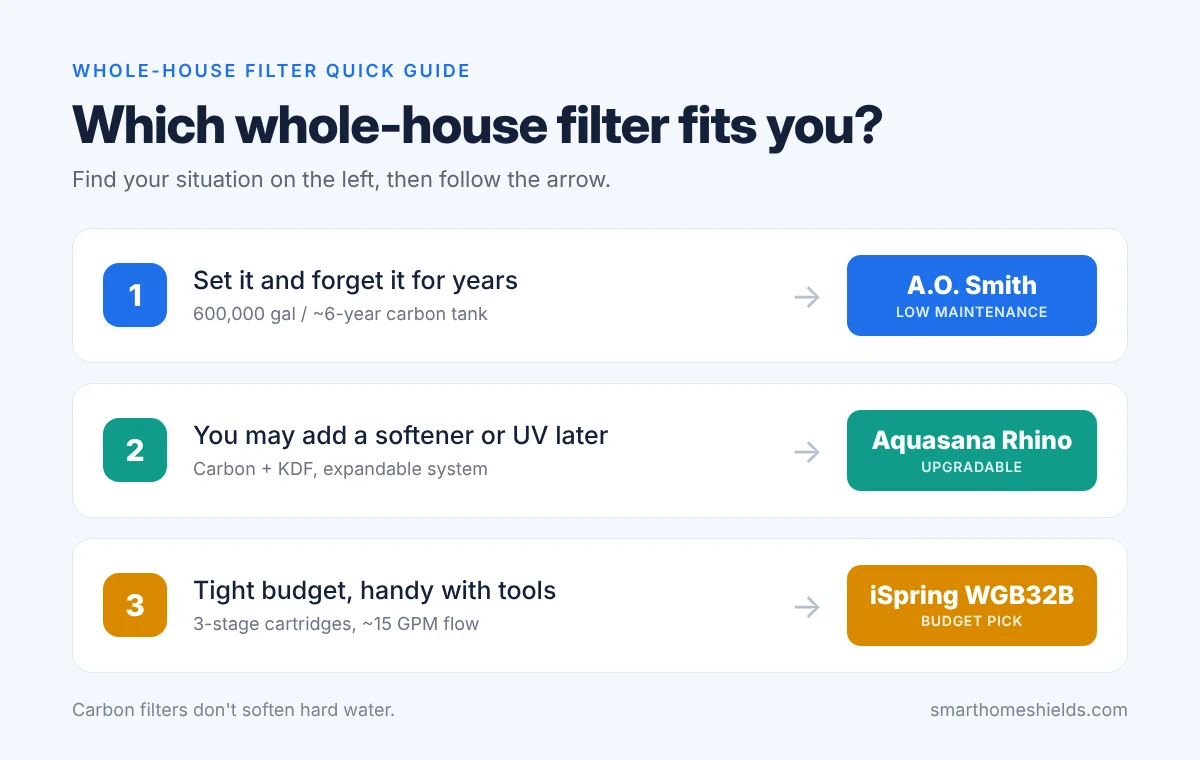
Quick decision guide: pick by budget and maintenance.
A.O. Smith is a name many homeowners already know from water heaters, and its whole-house filter is one of the easiest to live with. It's a single carbon tank rated for 600,000 gallons, or about 6 years, before the filter media needs replacing. There's no draining, no back-flushing and no wasted water, and it needs no electricity.
It's certified to NSF/ANSI 42 and reduces 96.9% of chlorine taste and odor, which also means less chlorine evaporating into the air when you shower. Flow is rated at about 14 GPM, enough for households of four or more.
Pros: 6-year filter life with a 6-year limited warranty; strong flow; no maintenance besides an optional pre-filter; DIY-friendly kit with shut-off valve included.
Cons: it isn't a water softener and won't reduce TDS, iron or sulfur; A.O. Smith recommends adding a sediment pre-filter; the tank needs floor space near your main water line.
The Aquasana Rhino is the choice for buyers who want third-party certification. It combines a sediment pre-filter, carbon, and KDF media to cut chlorine, rust, and scale across the home, and Aquasana rates it for 1,000,000 gallons. It's also expandable, with optional salt-free conditioner and UV add-ons.
Pros: Certified performance; strong chlorine reduction; can grow with add-ons.
Cons: Its 7 GPM flow suits most 3-bedroom homes but can cause pressure drops in larger households running several fixtures at once; Aquasana recommends replacing the pre- and post-filters about every 2 months, which adds to the running cost.
If a tank system is out of budget, the iSpring WGB32B gets you whole-house filtration for a fraction of the price. It's a 3-stage cartridge system with strong flow (about 15 GPM) and roughly 100,000 gallons of filter life, and handy homeowners can often install it themselves.
Pros: Lowest upfront cost; excellent water flow; standard cartridges are easy to find.
Cons: Cartridges need replacing much more often than tank media, so long-term costs add up and can end up higher than a long-life tank system like the A.O. Smith.
Buying Guide: How to Choose the Right Whole-House Filter
Choose A.O. Smith if you want years of filtered water with almost no maintenance and strong water pressure.
Choose Aquasana Rhino if third-party certification matters most and your household is small to medium-sized.
Choose iSpring WGB32B if you want whole-house filtration on a tight budget and don't mind changing cartridges.
Two things to know before you buy: whole-house carbon filters don't soften hard water — limescale needs a separate softener or conditioner. And if you're on well water, test your water first rather than buying a city-water filter.
Affiliate Disclosure: As an Amazon Associate, Smart Home Shields earns from qualifying purchases. Product availability and prices on Amazon change often, so check the current price before you buy.
A strong chlorine smell in the shower, dry skin, and dull hair are common complaints in homes on treated city water. A shower filter is one of the easiest upgrades you can make: no plumber, no tools, and about five minutes to install.
In this independent review, we compare the top 3 shower filters for 2026 based on chlorine reduction, water flow, and long-term filter costs — and clear up the biggest myth in this category.
This article contains Amazon affiliate links. As an Amazon Associate, we earn from qualifying purchases, at no extra cost to you. It doesn't affect which products we recommend.
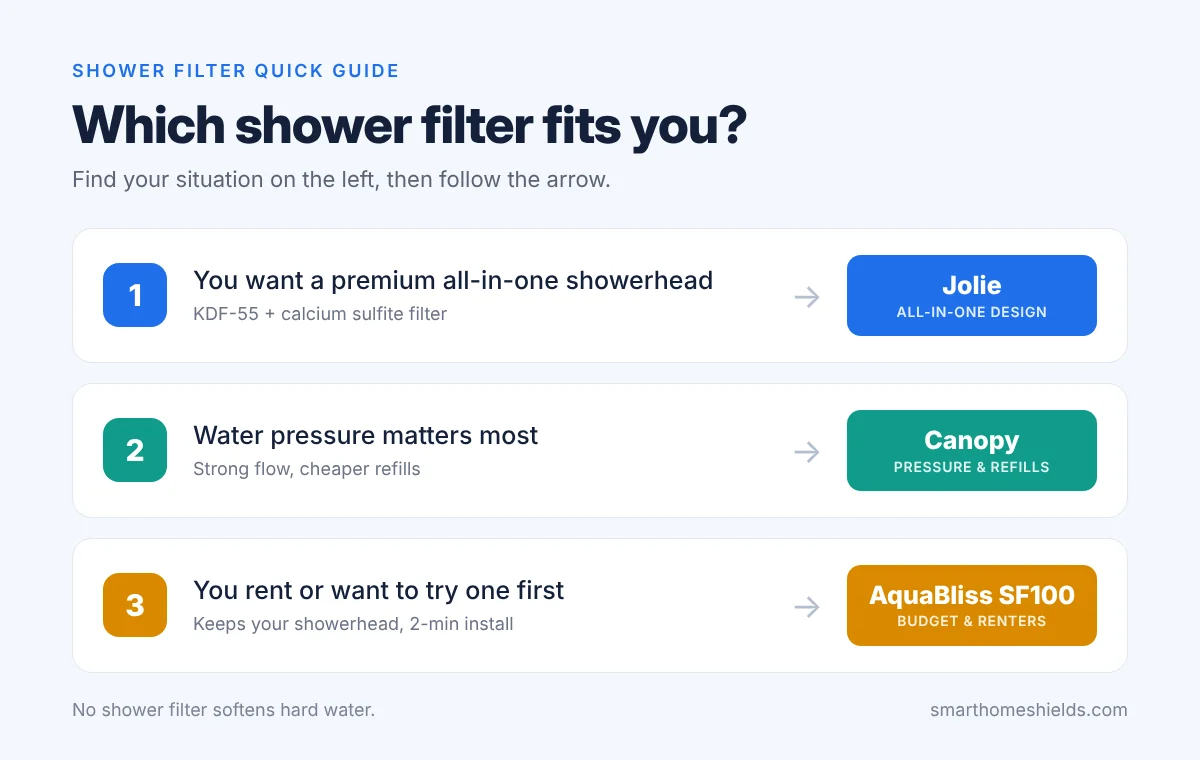
Quick decision guide: pick by what matters most to you.
Jolie replaces your entire showerhead with a sleek, filtered one. It uses two filter media — KDF-55 (a copper-zinc blend) and calcium sulfite — and comes in several premium finishes that look great in a modern bathroom.
Canopy is Jolie's closest rival and wins on practical details. In independent lab testing it reduced chlorine by 97%, and it delivers a strong 2.33 GPM flow, so your shower still feels powerful.
AquaBliss takes a different approach: instead of replacing your showerhead, it's a small filter that screws in between the shower arm and the showerhead you already have. That makes it ideal for renters or anyone trying a shower filter for the first time. It installs in about two minutes without tools, adds only 3 to 4 inches to your shower arm, and works with fixed, rain and handheld showerheads.
Pros: By far the cheapest option; keeps your current showerhead; renter-friendly.
Cons: Bulkier look; no certification. AquaBliss rates the SFC100 cartridge for 3 to 6 months depending on your water, and some testers report the chlorine smell returning sooner — replace it when lather feels flatter or the smell comes back.
The Truth About Shower Filters and Hard Water
Many shower filters are marketed for "hard water," but no shower filter removes the minerals that cause hardness (calcium and magnesium). What they do well is reduce chlorine. If limescale and spotty glass doors are your real problem, you need a water softener or a whole-house system with a conditioner.
Check your water report: many cities now treat water with chloramine instead of chlorine, and KDF-based shower filters are much less effective against it. Your city's annual water quality report will tell you which one you have.
Buying Guide: How to Choose the Right Shower Filter
Choose Jolie if design matters most and you want a premium all-in-one showerhead.
Choose Canopy if you want the best water pressure and cheaper refills.
Choose AquaBliss if you're on a budget, renting, or want to try a shower filter before spending more.
Affiliate Disclosure: As an Amazon Associate, Smart Home Shields earns from qualifying purchases. Product availability and prices on Amazon change often, so check the current price before you buy.
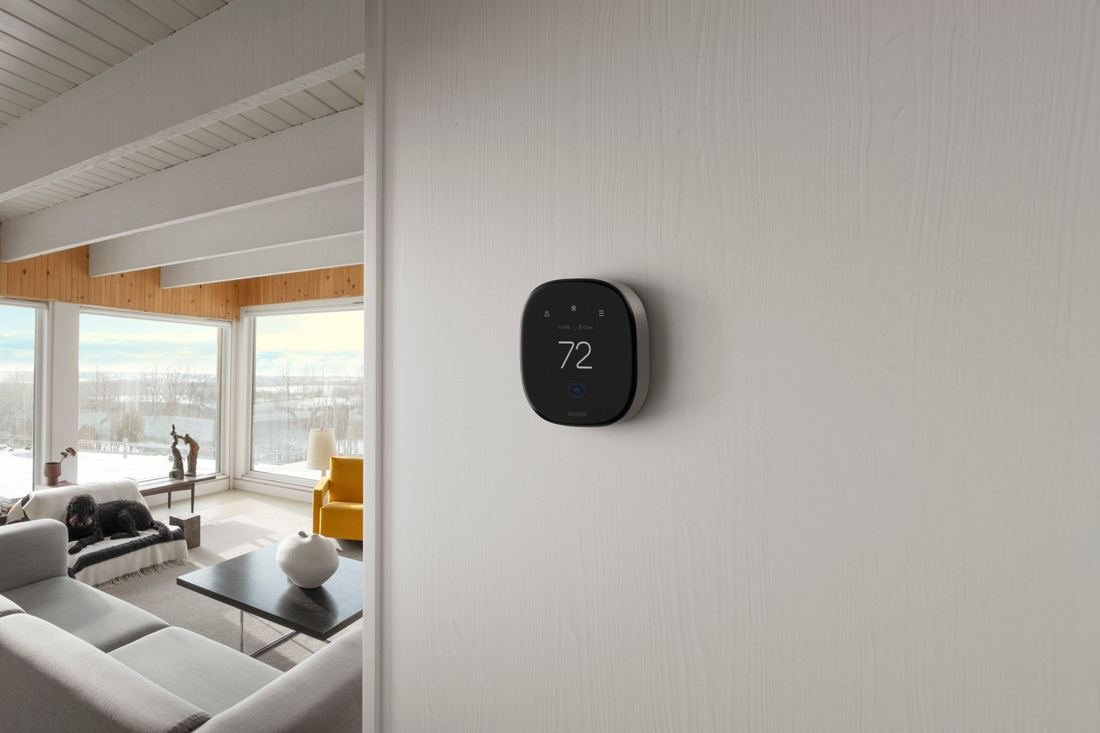
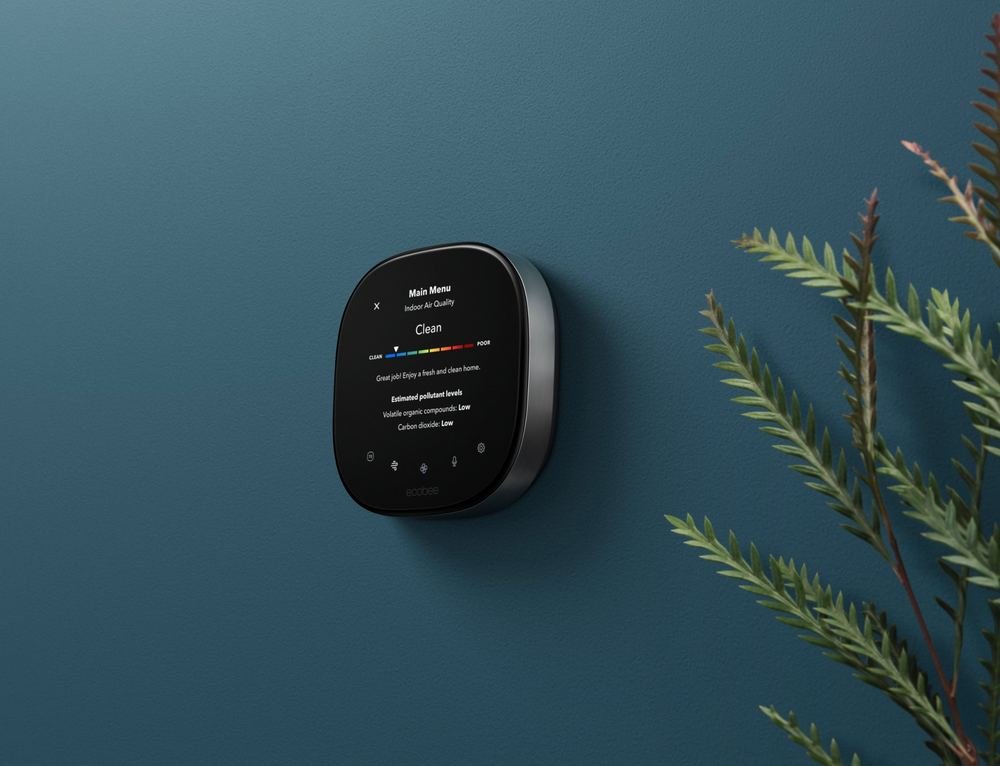
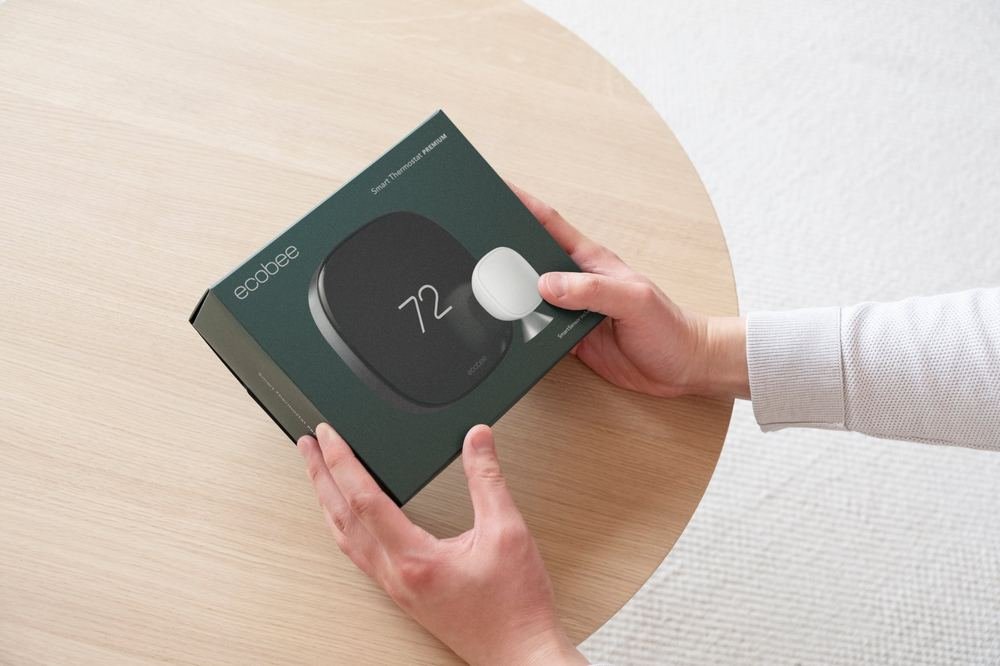
The ecobee Smart Thermostat Premium. Photo: ecobee.
This article contains Amazon affiliate links. If you buy through them, we may earn a commission at no extra cost to you.
Your thermostat controls one of the biggest costs in your home: heating and cooling. The ecobee Smart Thermostat Premium goes far beyond setting a temperature. It learns your routine, adjusts room by room, monitors your air quality, and doubles as a smart speaker with Siri or Alexa built in.
In this review, we break down what it actually does, who it's right for, and the catches you should know about before buying.
Quick Verdict
Best for: homeowners who want a premium, do-it-all smart thermostat with real energy savings and fewer hot and cold spots.
Skip it if: you only want basic scheduling, or you don't plan to use the speaker, air quality, and security features.
The Smart Thermostat Premium is ENERGY STAR certified, and ecobee says it can save up to 26% on heating and cooling costs, compared to keeping your home at a constant 72°F.
It does that in two ways: it learns your daily routine and recommends schedule changes, and it automatically reduces heating or cooling when nobody is home. You don't have to remember to adjust anything.
It learns your routine and eases off heating or cooling when nobody needs it. Photo: ecobee.
Tip: Many energy providers offer rebates on ENERGY STAR smart thermostats. Check your utility company's website before you buy, since a rebate can take a big bite out of the cost.
The SmartSensor: Goodbye, Hot and Cold Spots
Most thermostats read the temperature in one spot, usually a hallway, and heat or cool the whole house based on that. The included SmartSensor fixes this. Place it in the room that matters most, like a bedroom or home office, and the thermostat adjusts the temperature based on the rooms you're actually using.
The SmartSensor (on the shelf) tells the thermostat which rooms are actually in use. Photo: ecobee.
It's wireless, so there are no cables to run. You can add more sensors later if you have several rooms you want to balance.
The Premium model tracks your indoor air quality and alerts you when it drops, with tips to improve it. It also reminds you when it's time to change your furnace's air filter, one of those small maintenance jobs that's easy to forget and affects both air quality and efficiency.
The air quality screen shows estimated levels of volatile organic compounds and carbon dioxide. Photo: ecobee.
Air quality monitoring is one of the features that sets the Premium apart from ecobee's cheaper models, so if it matters to you, the Premium is the model to get.
A Smart Speaker on Your Wall
The thermostat has a built-in speaker with your choice of Alexa or Siri. You can control your smart home by voice, ask questions, and even stream Spotify playlists or podcasts.
It also works with ecobee's home security features. It can listen for the sound of a smoke alarm and alert your phone, and you can arm and disarm your system right from the screen.
Control it from the screen, by voice, or from the ecobee app on your phone. Photo: ecobee.
If you own an ecobee Smart Doorbell Camera, you can also see a live view of your front door and talk to visitors directly from the thermostat.
Know before you buy: Smoke alarm detection requires a paid ecobee Smart Security subscription. Siri requires an Apple home hub (such as an Apple TV or HomePod). The doorbell feature requires ecobee's own doorbell camera.
Installation and Compatibility
ecobee says the Smart Thermostat Premium works with about 95% of home heating and cooling systems. Before buying, run your setup through the compatibility checker on ecobee's website. It takes a couple of minutes.
Installation is designed to be DIY, and everything you need comes in the box. That includes a Power Extender Kit for homes without a C-wire (the power wire many smart thermostats need), plus a trim plate to cover marks left by your old thermostat. It's backed by a 3-year warranty.
The thermostat and SmartSensor arrive in recyclable packaging.Everything you need to install is in the box. Photos: ecobee.
Key Features at a Glance
Voice assistant
Alexa or Siri built in
Works with
Amazon Alexa, Apple Home, Google Home
Room sensor
1 SmartSensor included
Air quality monitor
Yes, with alerts and filter reminders
Energy certification
ENERGY STAR
No C-wire?
Power Extender Kit included
Size
About 4.1 × 4.1 × 1 inches
Warranty
3 years
Pros and Cons
Pros: Real energy savings with little effort; the included SmartSensor evens out hot and cold rooms; built-in air quality monitoring; doubles as an Alexa or Siri smart speaker; easy DIY installation with everything in the box; 3-year warranty.
Cons: Premium price compared to basic smart thermostats; smoke alarm detection needs a paid subscription; Siri needs an Apple home hub; the doorbell feature only works with ecobee's own camera.
Should You Buy the ecobee Smart Thermostat Premium?
If you want one device that saves energy, fixes uneven temperatures, and adds a smart speaker and air quality monitor to your home, the Smart Thermostat Premium is one of the most complete thermostats you can buy.
If all you need is a programmable schedule you can control from your phone, you'll pay for features you won't use, and a simpler model will do the job.
Affiliate Disclosure: As an Amazon Associate, I earn from qualifying purchases. This means if you click on a link and make a purchase, I may receive a small commission at no extra cost to you.
The Ninja CREAMi 7-in-1. Color may differ from the Amazon version. Photo: SharkNinja.
Ninja
CREAMi 7-in-1 Ice Cream Maker
7 one-touch programs16 oz pint800 WDairy-free & keto friendly
This article contains Amazon affiliate links. If you buy through them, we may earn a commission at no extra cost to you.
Most home ice cream makers churn a liquid base until it freezes. The Ninja CREAMi works the other way around: you freeze your base first, and the machine's paddle shaves and whips the frozen block into a creamy dessert in a few minutes.
That approach has made it one of the most popular ice cream makers on Amazon. In this review, we cover what it does well, what catches people off guard, and who should buy it.
Quick Verdict
Best for: anyone who wants control over what goes into their dessert, from indulgent gelato to low-sugar, keto, dairy-free, or protein-packed treats.
Skip it if: you want ice cream on a whim. Bases need to be frozen ahead of time, so it rewards planning.
You mix a base (milk, cream, fruit, protein shake, or almost anything else), pour it into the included 16-ounce pint, and freeze it. Ninja recommends freezing the pint for about 24 hours. Then you lock the pint into the machine, pick a program, and the Creamerizer paddle spins down through the frozen block.
If the texture comes out a little crumbly, you can run it again to make it smoother. That flexibility is a big part of why it handles lighter, lower-sugar recipes better than traditional machines.
The frozen pint locks into the bowl, and the paddle works its way down through it. Photo: SharkNinja.
7 One-Touch Programs
Each program uses a different mix of speed, pressure, and time, so the result suits what you're making:
Ice Cream and Lite Ice Cream
Gelato
Sorbet
Milkshake
Smoothie Bowl
Mix-In
The Mix-In program is a highlight. After your base is processed, you add chocolate, nuts, candy, or fruit and the machine folds them through without crushing them into dust.
Ice cream, milkshakes, smoothie bowls, and more from one machine. Photo: SharkNinja.
Because you make the base yourself, you choose the sugar, fat, and ingredients. That makes it popular with people on keto, dairy-free, or vegan diets, and with anyone who wants to turn a protein shake into something that tastes like dessert. If that's why you're shopping, the CREAMi is built for exactly this.
Know Before You Buy
Plan ahead: each base needs to freeze for about a day before you can process it.
Only one pint is included. Most owners buy extra pints so they can keep several flavors frozen and ready.
It's noisy while the paddle works through the frozen pint, though each run only lasts a few minutes.
Small batches: each pint makes 16 ounces, which suits one to two people rather than a crowd.
About 12.1 × 6.5 × 16 inches, so check the space under your cabinets. Photo: SharkNinja.
Key Features at a Glance
Programs
7 one-touch programs
Pint size
16 oz, with storage lid
Pints included
1
Power
800 W
Dishwasher safe
Pint and lid
Size
About 12.1 × 6.5 × 16 inches
Warranty
1-year limited
Pros and Cons
Pros: Full control over ingredients and sugar; makes ice cream, gelato, sorbet, milkshakes, and smoothie bowls; the Mix-In program keeps add-ins chunky; compact footprint for its power.
Cons: Bases must be frozen about 24 hours in advance; only one pint in the box; loud while running; small batch size.
If you love the idea of making your own frozen treats, especially healthier or diet-friendly ones, the CREAMi is one of the most versatile machines you can buy. Just go in knowing it's a "freeze tonight, enjoy tomorrow" appliance.
If you want soft-serve on demand with no planning, a traditional churning machine will suit you better.
Affiliate Disclosure: As an Amazon Associate, I earn from qualifying purchases. This means if you click on a link and make a purchase, I may receive a small commission at no extra cost to you.
The Ninja PossibleCooker PRO Plus. Color may vary. Photo: SharkNinja.
This article contains Amazon affiliate links. If you buy through them, we may earn a commission at no extra cost to you.
Ninja says the PossibleCooker PRO Plus replaces 16 kitchen tools, including a slow cooker, Dutch oven, rice cooker, sauté pan, steamer, stock pot, and bread proofer. That's a big claim, so we looked at what it actually does.
The short version: it's a large, powerful multicooker built around one idea. You cook in a single pot that can also go into the oven and straight to the table.
Quick Verdict
Best for: busy households and batch cooks who want fewer pots, fewer dishes, and one appliance that can sear, slow cook, steam, and bake.
Skip it if: you're short on counter or cupboard space, or you mainly want a pressure cooker, which this isn't.
The big advantage over a regular slow cooker is that you can brown meat and onions in the same pot before slow cooking, instead of dirtying a separate pan.
From Cooker to Oven to Table
The 8.5-quart pot is oven-safe, so you can sear on the base, finish a dish in the oven, and bring the pot straight to the table to serve. Its 1400-watt base heats the cooking surfaces so heat surrounds the food, which Ninja says cooks faster than a standard slow cooker.
The inner pot has a ceramic nonstick surface made without PFAS, PTFE, or PFOA. For buyers trying to move away from traditional nonstick coatings, that's a real selling point.
Everything stacks together: the base, the oven-safe ceramic pot, the glass lid, and the utensil. Photo: SharkNinja.
Know Before You Buy
It's big: roughly 16.3 × 14.5 × 11 inches and about 12 pounds, so measure your counter and storage space first.
No pressure cooking: despite the many functions, it isn't a pressure cooker.
Treat the coating gently: ceramic nonstick generally lasts longer with soft utensils, such as the included multi-functional utensil.
Check the oven limit: the pot is oven-safe, but confirm the maximum oven temperature in the manual before baking.
About 16.4 × 14.4 × 11.1 inches, so measure your counter first. Photo: SharkNinja.
Key Features at a Glance
Functions
9
Capacity
8.5 quarts
Power
1400 W
Cooking surface
Ceramic nonstick, made without PFAS, PTFE, or PFOA
Pros: Replaces several pots and appliances; sear and slow cook in one pot; oven-safe pot goes straight to the table; PFAS-free cooking surface; large capacity for families and meal prep.
Cons: Takes up a lot of space; no pressure-cook function; heavy to move around; ceramic coating needs gentle care.
If you cook big batches and you're tired of juggling a slow cooker, a skillet, and a Dutch oven, the PossibleCooker PRO Plus can genuinely simplify your kitchen. The sear-then-slow-cook workflow alone saves a lot of washing up.
If you have a small kitchen or you specifically want fast pressure cooking, look at a smaller multicooker instead.
Affiliate Disclosure: As an Amazon Associate, I earn from qualifying purchases. This means if you click on a link and make a purchase, I may receive a small commission at no extra cost to you.
iRobot
Roomba 115X Combo + AutoEmpty Dock
Vacuums & mops15,000 Pa suctionLiDAR navigationSelf-empties up to 90 days
This article contains Amazon affiliate links. If you buy through them, we may earn a commission at no extra cost to you.
The iRobot Roomba 115X Combo is a robot vacuum and mop in one, paired with a dock that empties the robot for you. It's aimed at small to medium homes that want floors cleaned daily without anyone touching a vacuum.
Here's what it does, where its limits are, and one thing about the company every buyer should know.
Quick Verdict
Best for: small to medium homes, pet owners, and allergy sufferers who want hands-off daily vacuuming and light mopping.
Skip it if: you have a large home with lots of square footage per floor, or you need deep scrubbing of dried-on stains.
The 115X Combo vacuums with 15,000 Pa of suction to pick up crumbs and fine dust while its pad mops everyday buildup in the same run. It covers up to 900 square feet per charge, which suits apartments and small to medium homes.
It also avoids mopping carpet, so you don't end up with damp rugs.
Self-Emptying for Up to 3 Months
After each clean, the robot empties into the AutoEmpty dock. Its 2.5-liter AllergenLock bag traps 99% of pollen and mold and seals itself when you remove it, so there's no dust cloud when you change it. iRobot says one bag lasts up to about 90 days.
LiDAR uses a laser to map your home, so the robot cleans in efficient, organized lines instead of bumping around at random. Combined with multiple cleaning modes, it gives you more control over how and where it cleans. If hands-off floors are the goal, this is the kind of setup that delivers.
Know Before You Buy
Coverage: up to 900 square feet per charge, so bigger homes may need more than one run.
Light mopping only: the pad handles everyday buildup, not dried-on spills or heavy scrubbing.
You wash the mop pad yourself: the dock empties dust only. The washable pad has to be taken off and washed by hand.
Wi-Fi: the app needs a 2.4 GHz Wi-Fi network.
Ongoing cost: dock bags and mop pads are replacement items you'll buy over time.
About the company: iRobot went through Chapter 11 bankruptcy in December 2025 and was acquired by its manufacturer, Picea Robotics, in January 2026. The company has said the app, warranties, and product support continue as normal.
Key Features at a Glance
Cleaning
Vacuum + mop in one pass
Suction
15,000 Pa
Navigation
LiDAR
Coverage
Up to 900 sq ft per charge
Dock
AutoEmpty, self-empties for up to 90 days
Dust bag
2.5 L AllergenLock, traps 99% of pollen and mold
Carpet
Avoids mopping carpet
Pros and Cons
Pros: Vacuums and mops in one run; strong 15,000 Pa suction; sealed allergen-trapping bag; months between emptying; LiDAR mapping for organized cleaning.
Cons: Coverage per charge suits smaller homes; mopping is light-duty; the mop pad must be washed by hand; replacement bags add ongoing cost; recent change of company ownership.
For small to medium homes that want clean floors every day with almost no effort, the Roomba 115X Combo is a strong all-in-one choice. The sealed, self-emptying dock is especially good news for anyone with allergies.
If you have a large home or want heavy-duty mopping, look at a model with a bigger battery range or a dedicated mopping system.
Affiliate Disclosure: As an Amazon Associate, I earn from qualifying purchases. This means if you click on a link and make a purchase, I may receive a small commission at no extra cost to you.
Ninja
Professional Blender 2.0 (BR201AMZ)
1200 W72 oz pitcherAuto-iQDishwasher safe
This article contains Amazon affiliate links. If you buy through them, we may earn a commission at no extra cost to you.
The Ninja Professional Blender 2.0 is one of the best-selling countertop blenders on Amazon, and the reason is simple: a lot of power and a big pitcher for a reasonable price.
It's built for smoothies, frozen drinks, and crushed ice in family-size batches. Here's what to expect.
Quick Verdict
Best for: families and smoothie fans who make big batches of frozen drinks and want ice crushed fine without effort.
Skip it if: you mostly blend single servings to take on the go, since there are no travel cups in the box.
A 1200-watt motor drives Ninja's stacked Total Crushing blade assembly, which runs the full height of the pitcher. That design is why it can turn ice into snow in seconds, which is perfect for frozen drinks, slushies, and thick smoothies.
Auto-iQ runs a preset pattern of pulses and pauses automatically, so you don't have to guess times and speeds. Press it, walk away, and it stops on its own. You also get 4 manual speeds when you want more control.
A 72-Ounce Pitcher for the Whole Family
The 72-ounce pitcher has a pour spout and makes enough for the whole family in one go. The pitcher, lid, and blades are BPA-free and dishwasher safe, and a 10-recipe quick start guide is included. For big-batch blending, it's hard to beat for the size.
Know Before You Buy
The blade assembly is very sharp: it lifts out for cleaning, so handle it by the top shaft.
No single-serve cups: this model comes with the large pitcher only.
Check your cabinet clearance: it stands about 17.4 inches tall.
Pitcher size vs. liquid size: the usable liquid capacity is a little less than the full 72 ounces.
Key Features at a Glance
Power
1200 W
Pitcher
72 oz, with pour spout
Blades
Total Crushing stacked blade assembly
Programs
Auto-iQ
Speeds
4 manual
Dishwasher safe
Pitcher, lid, and blades (BPA-free)
Size
About 7.8 × 8.2 × 17.4 inches
Pros and Cons
Pros: Crushes ice to snow fast; big family-size pitcher; Auto-iQ makes blending hands-off; dishwasher-safe parts; strong value for the power.
Cons: No travel cups included; tall for some kitchens; stacked blade needs careful handling; loud at full power.
Should You Buy the Ninja Professional Blender 2.0?
If you make smoothies, frozen drinks, or crushed ice for more than one person, the Ninja Professional Blender 2.0 is an easy recommendation: lots of power, a huge pitcher, and simple one-touch blending.
If you mainly want a quick single smoothie to take to work, a personal blender with travel cups will suit you better.
Affiliate Disclosure: As an Amazon Associate, I earn from qualifying purchases. This means if you click on a link and make a purchase, I may receive a small commission at no extra cost to you.
The BISSELL Little Green Mini with its tools and formula. Included tools may vary by version. Photo: BISSELL.
BISSELL
Little Green Mini Portable Carpet & Upholstery Cleaner (4075)
Portable spot cleaner7 lbSelf-cleaning hosePet & car friendly
This article contains Amazon affiliate links. If you buy through them, we may earn a commission at no extra cost to you.
Every home has the same problem: a spill on the sofa, a pet accident on the carpet, or a coffee stain in the car, and a full-size carpet cleaner is far too much hassle to drag out. That's exactly the job the BISSELL Little Green Mini was made for.
It's one of Amazon's best-selling carpet and upholstery cleaners. Here's why, and where its limits are.
Quick Verdict
Best for: pet owners, parents, and car owners who deal with spills and stains often and want a quick, small cleaner that's always ready.
Skip it if: you need to deep-clean whole rooms of carpet. A full-size carpet cleaner is the right tool for that.
The Little Green Mini sprays cleaning solution into the fabric and suctions the dirty water back out, lifting spills and pet stains from carpet, rugs, upholstery, and stairs. BISSELL says it also removes pet dander, dust, and pollen allergens.
It doubles as a car detailer for seats and floor mats, one of its most popular uses.
Lifting a coffee spill from a carpet.Spot-cleaning an upholstered chair. Photos: BISSELL.
Tools That Make Cleanup Easier
4-inch Tough Stain Tool with a removable lens, so you can clean the nozzle easily after use.
HydroRinse self-cleaning hose tool, which rinses out the inside of the hose so it doesn't stay dirty or smelly between uses.
8 oz. of BISSELL Little Green Formula to get you started.
At about 7 pounds and roughly 10 × 13.5 × 12 inches, it fits in a cabinet or closet, so it's always within reach when an accident happens. If quick, close-at-hand cleanup is what you need, this is the one most people choose.
Know Before You Buy
It's a spot cleaner: great for stains and small areas, not whole rooms.
Corded: you'll need an outlet nearby, or an extension cord for the car.
Test first: try a hidden spot on delicate upholstery before cleaning a visible area.
Allow drying time: cleaned fabric stays damp for a while, so plan before guests sit down.
Pros: Lifts spills and pet stains quickly; self-cleaning hose keeps it fresh; small and light enough to store anywhere; works great for car detailing; very popular and well reviewed.
Cons: Not meant for whole-room cleaning; corded; fabric needs time to dry; small tanks mean refilling on bigger jobs.
If you have pets, kids, or a car that sees a lot of coffee, the BISSELL Little Green Mini is one of the most useful cleaning tools you can keep in the closet. It turns "that stain is there forever" into a five-minute job.
For deep-cleaning entire carpeted rooms, pair it with, or choose, a full-size carpet cleaner.
Affiliate Disclosure: As an Amazon Associate, I earn from qualifying purchases. This means if you click on a link and make a purchase, I may receive a small commission at no extra cost to you.
When you work from home, you are the IT department. There's no security team checking your laptop, no locked records room and no one to call when an email looks off. Yet the data you handle is the same as in any office: client names and addresses, contracts, invoices, tax forms and sometimes payment details.
Criminals know this. The FBI's latest Internet Crime Report counted nearly $21 billion in reported cybercrime losses in 2025. Business email compromise, the scam where someone poses as a client or supplier to redirect a payment, accounted for about $3 billion of that on its own.
The good news is that protecting client data at home doesn't take expensive software. It takes a few settings, a couple of free tools and some habits. This checklist follows the five principles in the FTC's guide for businesses, adapted for a one-person home office.
If You Only Do Five Things
Put every work password in a password manager.
Turn on two-factor authentication for your email first, then banking, cloud storage and your website host.
Switch on full-disk encryption on your laptop and save the recovery key.
Confirm every payment-change request by phone, using a number you already have.
Shred client paperwork and wipe old devices before you get rid of them.
1. Take Stock: Find Where Client Data Actually Lives
You can't protect what you've forgotten about. Spend fifteen minutes listing every place client information ends up. For most solo businesses it's more spread out than expected:
Where
What usually hides there
Email inbox
Signed contracts, ID scans, invoices, attachments from years ago
Downloads folder
Copies of everything you opened "just once"
Cloud drive
Shared folders, some still shared with people who no longer need access
Phone
Photos of documents, screenshots, client chats in messaging apps
Paper
Printed forms, sticky notes with account details, mail
Business apps
Invoicing, CRM, booking and payment tools
2. Scale Down: Keep Only What You Need
The safest data is data you never stored. A few easy wins:
Don't keep full card numbers or Social Security numbers unless the law or your work truly requires it. Let your payment processor hold card details.
Clear your Downloads folder once a month after filing what matters in one proper place.
Review shared links and folders in your cloud drive and remove access for finished projects.
Set a retention rule, for example "client files are deleted X years after the project ends," based on what your accountant or industry rules require.
3. Lock It: The Settings That Do the Heavy Lifting
Use a password manager
Reused passwords are how one leaked account turns into five. A password manager creates and remembers a unique password for every login. Bitwarden's free plan covers unlimited passwords on unlimited devices, and its Premium plan is $19.80 a year. If you're all-Apple, the built-in Passwords app (iOS 18 and macOS Sequoia or later) stores passwords, passkeys and verification codes at no cost.
Turn on two-factor authentication, in the right order
CISA, the US government's cybersecurity agency, says multifactor authentication makes you 99% less likely to be hacked. Start with the accounts that unlock everything else:
Email, because every password reset goes there.
Banking and payment accounts.
Cloud storage where client files live.
Your website host and domain registrar, so nobody can take over your site.
Not all second factors are equal. Text-message codes are better than nothing, but CISA notes that SMS isn't encrypted and can be intercepted. An authenticator app or a passkey is stronger, and a hardware security key (such as a YubiKey or Google Titan) is the top option for your most important accounts.
Encrypt your laptop
If your laptop is stolen from your car or a café, encryption is the difference between losing a device and losing your clients' data.
Windows 11: go to Settings → Privacy & security → Device encryption and turn it on. It's available on Home editions with supported hardware; on Pro you can also use BitLocker. If you sign in with a Microsoft account, the recovery key is saved to that account. Check that it's there.
Mac: go to System Settings → Privacy & Security → FileVault and turn it on. Store the recovery key somewhere safe, such as your password manager.
Phone: use a six-digit passcode or longer plus Face ID or fingerprint, and set auto-lock to a minute or two.
Separate work from family life
Give the work computer its own user account, and don't let kids or guests use it.
Lock the screen every time you step away: Windows key + L on a PC, Control + Command + Q on a Mac.
Keep paper files in a locking drawer or cabinet, not on the desk.
Turn on automatic updates for your computer, phone, browser and router. Most attacks use holes that already have a fix.
Smart home blind spot: an indoor security camera pointed at your desk can record your screen and the papers on it, and a smart speaker in the room hears your client calls. Angle cameras away from your workspace, and mute the speaker's microphone during confidential calls.
4. Watch for the Scam That Costs Businesses the Most
Business email compromise doesn't need malware. A message arrives that looks like it's from a client or supplier: "We've changed banks, please send this invoice to the new account." Sometimes it really does come from their account, because their email was hacked.
Call to confirm any change in payment details, using a phone number you already have, not one in the email.
Slow down when a message is urgent. Pressure to act "today" is the most common red flag.
Tell your clients how you'll never ask them to pay, for example "we will never change our bank details by email."
5. Pitch It: Dispose of Data Properly
The FTC's advice is simple: shred, burn or pulverize paper, and don't trust the Delete key with old devices, because deleted files can stay on the drive.
Paper: use a cross-cut or micro-cut shredder. Strip-cut shredders leave long strips that can be pieced back together.
Windows PC: before selling or donating, use Settings → System → Recovery → Reset this PC → Remove everything and choose the option to clean the drive.
Mac: use Erase All Content and Settings in System Settings → General → Transfer or Reset.
Phones: sign out of your accounts, then do a full factory reset.
6. Plan Ahead: A One-Page "If Something Happens" Plan
You don't need a binder, just one page you can find under stress:
Who to call: your bank's fraud line, your email provider, your website host, and an IT or legal contact if you have one.
First moves: change the email password, sign out all sessions, check email forwarding rules (attackers love to add one), and freeze any pending payments.
Clients: every US state has a data breach notification law, so know your state's rules before you need them.
Backups: keep a copy of important files that isn't connected to your computer, so ransomware or a dead laptop isn't the end of your business.
Your Home Office Data Checklist
Action
Why it matters
Time
Install a password manager
Unique passwords stop one leak from spreading
30 minutes
Turn on 2FA for email, bank, cloud and host
Blocks most account takeovers
20 minutes
Turn on device encryption or FileVault
A stolen laptop doesn't mean stolen data
5 minutes, then it runs on its own
Set screen auto-lock and a separate user account
Keeps family and visitors out of client files
10 minutes
Agree on a payment-change rule
Stops the costliest email scam
5 minutes
Shred and wipe on a schedule
Old data can't leak if it's gone
Monthly
The Bottom Line
Clients trust you with their information because you're good at what you do, not because you have a security team. A password manager, two-factor authentication, an encrypted laptop and a phone call before every payment change cover most of the real-world risk. Pick one item from the checklist today and work through the rest this week.
Illustration by Smart Home Shields, not a product photo. Official photos are on the Amazon listing.
Breville
Barista Express Espresso Machine (BES870XL)
Built-in burr grinderDigital PID67 oz water tank1600 W
This article contains Amazon affiliate links. If you buy through them, we may earn a commission at no extra cost to you.
The Breville Barista Express (model BES870XL) has been one of the best-selling home espresso machines for years, and it still sits at the top of Amazon's semi-automatic espresso category. The appeal is simple: a burr grinder, an espresso machine and a steam wand in one stainless steel unit, so you can go from whole beans to a latte without buying separate gear.
It is also a manual machine, and that cuts both ways. Below we cover what it does well, where owners run into trouble, and which alternatives make more sense for some kitchens.
Quick Verdict
The Barista Express is the most practical way to get real, café-style espresso at home without buying a separate grinder. It rewards a little practice. If you want push-button drinks, a more automated machine will suit you better.
Best for: coffee lovers who want to learn to pull real espresso shots and steam milk for lattes and cappuccinos.
Skip it if: you want one-touch drinks with no learning curve, or you mostly drink regular drip coffee.
Breville says you can go from beans to espresso in under a minute. You grind straight into the portafilter using the grinding cradle, tamp with the integrated tamper, level the puck with the included Razor dose trimming tool, then lock in and pull your shot. A pressure gauge on the front shows whether the extraction is in the right range, which makes it easier to learn what to adjust.
The machine ships with two kinds of filter baskets. Dual-wall baskets are forgiving and work with pre-ground coffee, while single-wall baskets give you more control and the best results with freshly ground beans.
The quick verdict at a glance. Illustration by Smart Home Shields.
The built-in grinder
The integrated conical burr grinder grinds on demand, so the coffee is always fresh. You set the grind size with a dial and adjust the amount it grinds, with a manual override when you want to top up a dose. For most home baristas this is the feature that makes the Barista Express good value, because a decent standalone espresso grinder is a significant purchase on its own.
It is not as fine-tunable as a high-end separate grinder, and a few owners report the grinder stopping or jamming over time. Keeping the hopper clean and avoiding very oily beans helps.
The steam wand is fully manual. That means a few days of practice before your milk looks silky, but it also means you control texture and temperature, and you can pour latte art once you get the hang of it. A stainless steel milk jug is included.
Cleaning and upkeep
Breville includes a cleaning disc, cleaning tablets, a brush tool and a water filter with holder. Rinse the portafilter after each use, wipe and purge the steam wand right away, and run the cleaning cycle and replace the water filter on the schedule in the manual. Regular cleaning is the single best way to keep the machine running for years.
Know Before You Buy
Real learning curve while you dial in grind, dose and milk.
No fast-heat system like the newer Barista Pro.
Some owners report grinder problems or failures after a few years.
Only a 1-year warranty.
Key Features at a Glance
Model
BES870XL
Type
Semi-automatic espresso machine with built-in grinder
Grinder
Integrated conical burr grinder with grind size dial
Temperature control
Digital PID
Water tank
67 oz
Bean hopper
1/2 lb
Portafilter
54 mm, stainless steel
Power
1600 W, 120 V
Dimensions
12.5" W x 13.8" D x 15.9" H
Weight
22.1 lb
Warranty
1-year limited
Pros and Cons
Pros: Grinder, espresso machine and steam wand in one footprint; adjustable grind size and dose, so it works with light and dark roasts; digital temperature control and low-pressure pre-infusion for balanced shots; manual steam wand that can make real microfoam for latte art; comes with a tamper, milk jug, single and dual-wall baskets and a cleaning kit.
Cons: Real learning curve while you dial in grind, dose and milk; no fast-heat system like the newer Barista Pro; some owners report grinder problems or failures after a few years; only a 1-year warranty.
Across thousands of Amazon reviews, owners consistently praise the shot quality and say their lattes rival coffee-shop drinks. Many see it as one of the best purchases they have made for their kitchen and note that it pays off compared with buying coffee out every day.
The most common complaints are the learning curve and long-term reliability: some owners report the grinder stopping or the machine failing after around three years of use, while others say theirs is still going strong after many years.
The same grinder-plus-espresso idea with a ThermoJet heating system that reaches extraction temperature in about 3 seconds and switches quickly from espresso to steam. It adds an LCD display that guides you through grinding and extraction. Worth it if speed matters to you.
No built-in grinder, but an automatic steam wand that textures milk for you, a 3-second heat-up and a slim 7.7-inch-wide body. A good fit if you already own a grinder or plan to buy fresh pre-ground coffee.
A 3-in-1 machine for espresso, drip coffee and cold brew. It has a built-in conical burr grinder with 25 settings, weight-based dosing, assisted tamping and hands-free milk frothing. Best for households that want more automation and also drink regular coffee.
How we review: we have not lab-tested this product ourselves. This review is based on the manufacturer's specifications, the Amazon listing and recurring themes in buyer reviews, checked in October 2026.
Should You Buy the Breville Barista Express?
Buy the Barista Express if you enjoy the ritual of making coffee and want espresso that tastes like it came from a good café. Give yourself a week to dial it in. If you want the same results with less waiting, look at the Barista Pro. If you want buttons that do the work for you, the Ninja Luxe Café is the better match.
Is the Breville Barista Express good for beginners?
Yes, if you are willing to learn. The pressure gauge and the forgiving dual-wall baskets help, but expect a few days of adjusting grind size and dose before your shots taste right.
Can you use pre-ground coffee in the Barista Express?
Yes. Use the dual-wall filter baskets with pre-ground coffee. Freshly ground beans from the built-in grinder will still give you better flavor and crema.
Barista Express or Barista Pro: which should I buy?
Both share the same core approach. The Barista Pro heats up in about 3 seconds and has an LCD display, while the Barista Express usually costs less. If you make several drinks back to back every morning, the Pro saves time.
How long does a Barista Express last?
Many owners report years of daily use. Regular cleaning, using the water filter and descaling as the manual recommends all help. The standard warranty is 1 year.
Affiliate Disclosure: As an Amazon Associate, I earn from qualifying purchases. This means if you click on a link and make a purchase, I may receive a small commission at no extra cost to you.
Illustration by Smart Home Shields, not a product photo. Official photos are on the Amazon listing.
Breville
Smart Oven Air Fryer Pro (BOV900BSS)
13 functionsFits a 9x13 pan80-480°F2-year warranty
This article contains Amazon affiliate links. If you buy through them, we may earn a commission at no extra cost to you.
The Breville Smart Oven Air Fryer Pro (model BOV900BSS) is one of the best-selling countertop ovens on Amazon, and for good reason. It combines a toaster, a convection oven, an air fryer, a dehydrator and a slow cooker in one stainless steel box that is big enough for a 14 lb turkey.
It is also large, heavy and expensive for a countertop appliance. Here is who it suits, what owners say after living with it, and when a smaller or cheaper option makes more sense.
Quick Verdict
This is the most versatile countertop oven in its class. For many households it takes over most everyday oven jobs, from toast to roast chicken to air-fried fries. Make sure you have the counter space before you buy.
Best for: households that cook most days and want one appliance for toasting, baking, roasting and air frying.
Skip it if: your counter is small, or you only want crispy snacks. A basket air fryer is cheaper and takes up far less room.
The oven offers Toast, Bagel, Broil, Bake, Roast, Warm, Pizza, Proof, Air Fry, Reheat, Cookies, Slow Cook and Dehydrate. Each preset sets the temperature, the heating elements and the fan for you, and you can adjust them. The LCD shows when preheating is done and then counts down the cooking time automatically.
The quick verdict at a glance. Illustration by Smart Home Shields.
How Element iQ works
Instead of simply switching all elements on and off, the oven uses five independent quartz elements and steers power to where it is needed for each function. Digital PID temperature control is designed to eliminate cold spots. The two-speed convection fan has a "super" setting that pushes more hot air for air frying, roasting and dehydrating.
The big advantage of air frying here is space. Food spreads out in a single layer on the mesh basket, so you can crisp a full tray of wings or fries at once. A basket air fryer is smaller and usually crisps small portions with less effort, but it cannot bake a casserole or toast nine slices of bread. If you only want air frying, see our Cosori TurboBlaze review.
Size, power and placement
At 21.5 inches wide, 17.5 inches deep and about 30 pounds, this oven needs a permanent spot. It draws 1800 W, so avoid running it on the same kitchen circuit as another high-power appliance, and leave space around it for ventilation as the manual recommends. The box includes a 13-inch pizza pan, two oven racks, a 9x13 broil rack with an enamel roasting pan, and a mesh basket for air frying and dehydrating.
Know Before You Buy
Big footprint, more than 21 inches wide.
Some owners find toasting slow or the temperature slightly off.
Scattered reports of cracked glass or failed heating elements.
Basket air fryers crisp small batches with less fuss.
Key Features at a Glance
Model
BOV900BSS
Type
Countertop convection oven with air fry
Cooking functions
13
Heating
Element iQ with 5 independent quartz elements, digital PID control
Temperature range
80-480°F
Interior
16 x 13.5 x 7 in (1 cu ft)
Fits
9 slices of bread, 13" pizza, 14 lb turkey, most 9x13 pans
Power
1800 W
Dimensions
21.5" W x 17.5" D x 12.7" H
Weight
30.2 lb
Warranty
2-year limited
Pros and Cons
Pros: 13 functions cover toasting, baking, roasting, air frying, proofing and dehydrating; large interior fits most 9x13 pans and a 12-cup muffin tray; super convection that Breville says cuts cooking time by up to 30%; interior light and a clear LCD display; 2-year warranty, longer than many rivals.
Cons: Big footprint, more than 21 inches wide; some owners find toasting slow or the temperature slightly off; scattered reports of cracked glass or failed heating elements; basket air fryers crisp small batches with less fuss.
Owners most often praise the versatility, the cooking performance and the number of functions, along with the fast preheat and the very even heating.
Feedback is mixed on toasting speed and temperature accuracy, and opinions on value are split given the price. A number of reviews mention glass shattering or heating elements failing, so register the warranty when it arrives.
The smaller sibling, with 11 functions (no Proof or Dehydrate) and a 13.5 x 11.5 x 5.5-inch interior that fits 6 slices of bread or a 13-inch pizza. Compare current prices before you buy, because the Pro is sometimes priced at or below this model.
If air frying is the main goal, this has two independent 5-quart baskets (10 quarts total) with Smart Finish, so a main and a side finish at the same time.
A compact, budget-friendly basket air fryer with a 6-quart basket and temperatures up to 450°F. Ideal for 2 to 4 people.
How we review: we have not lab-tested this product ourselves. This review is based on the manufacturer's specifications, the Amazon listing and recurring themes in buyer reviews, checked in October 2026.
Should You Buy the Breville Smart Oven Air Fryer Pro?
Buy the Smart Oven Air Fryer Pro if you cook most days and want one appliance that can replace a toaster, an air fryer and most uses of your main oven. If counter space is tight or you mainly want crispy snacks, a basket air fryer is the smarter buy.
Can the Breville Smart Oven Air Fryer Pro replace an air fryer?
For most people, yes. It has a dedicated Air Fry setting and super convection, and it fits more food in a single layer than most basket air fryers. Basket fryers are smaller and a bit simpler for small portions.
Will a 9x13 pan fit?
Breville says most 9x13-inch pans fit, as well as a 12-cup muffin tray and a 5-quart Dutch oven for slow cooking.
How much power does it use?
It is rated at 1800 W, so it is best on its own outlet or circuit rather than sharing with a kettle or espresso machine.
What is the difference between the BOV900 and BOV860?
The BOV900 (Pro) has 13 functions, including Proof and Dehydrate, and a larger interior. The BOV860 has 11 functions and a smaller interior.
Affiliate Disclosure: As an Amazon Associate, I earn from qualifying purchases. This means if you click on a link and make a purchase, I may receive a small commission at no extra cost to you.
Illustration by Smart Home Shields, not a product photo. Official photos are on the Amazon listing.
This article contains Amazon affiliate links. If you buy through them, we may earn a commission at no extra cost to you.
The KitchenAid Artisan (model KSM150PS) is the stand mixer most people picture when they think of one. It has been around for decades, comes in more than 20 colors, and it consistently ranks among Amazon's best-selling stand mixers.
Popularity is not the same as being right for everyone, though. Here is what the Artisan does well, where it falls short, and when the smaller Classic or the bigger bowl-lift model is the better buy.
Quick Verdict
The Artisan is still the default stand mixer for most home bakers. It is sturdy, simple to use and works with a huge range of attachments. If you knead heavy bread dough every week, step up to a bowl-lift model.
Best for: home bakers who make cookies, cakes, whipped cream and the occasional loaf of bread.
Skip it if: you bake large batches of stiff bread dough every week, or your upper cabinets are too low for a tilt-head.
The Artisan has a metal body and a tilt-head design. You lift the head back to add ingredients or swap attachments, then lock it in place while mixing. KitchenAid describes 59 touchpoints around the bowl, meaning the beater reaches most of the bowl as it spins, so you scrape down less often.
The quick verdict at a glance. Illustration by Smart Home Shields.
Bowl, speeds and mixing
The 5-quart stainless steel bowl has a comfortable handle and is dishwasher safe. KitchenAid says it can mix up to 9 dozen cookies in a single batch. There are 10 speeds, from a gentle stir for dry ingredients to fast whipping for cream and egg whites. A pouring shield is included to reduce splatter when you add flour or liquids.
The front power hub is what turns a mixer into a kitchen system. KitchenAid offers more than 10 hub-powered attachments, sold separately, including pasta rollers, food grinders, spiralizers and an ice cream bowl. They fit across KitchenAid stand mixers, so they stay useful if you upgrade later.
Size and weight
At about 24 pounds, the Artisan is not something you want to lift in and out of a cupboard. It is 14 inches tall with the head down, and the head tilts up, so measure the space under your upper cabinets before you choose a spot.
Know Before You Buy
Heavy, so it really needs a permanent spot on the counter.
Power hub for 10+ optional attachments (sold separately)
Dimensions
14.3" W x 9.3" D x 14" H
Weight
About 24 lb
Warranty
1-year hassle-free replacement
Pros and Cons
Pros: Durable metal construction that stays put while mixing; 5-quart bowl handles about 9 dozen cookies in one batch; tilt-head design gives easy access to the bowl; power hub works with pasta rollers, food grinders and more; more than 20 colors to match your kitchen.
Cons: Heavy, so it really needs a permanent spot on the counter; tilt-head needs clearance under upper cabinets; some reviewers report units that stopped working; bowl-lift models have more power for stiff dough.
Owners consistently praise the mixing performance, the ease of use and the versatility, from cookie dough to mashed potatoes. Many call it the gold standard of stand mixers, love the color choices and say it is worth the price.
Opinions differ on reliability. Many owners are happy with how it holds up, but some say their mixer stopped working, so keep your receipt and warranty information.
The budget version of the same tilt-head design, with a 4.5-quart bowl (about 8 dozen cookies), 10 speeds, and a flat beater, dough hook and 6-wire whip in the box. A good choice for smaller households.
KitchenAid says it delivers twice the power in the bowl compared with the KSM150. It adds 11 speeds, including a 1/2 speed for folding, a 5.5-quart bowl and a 3-point locking bowl. Better for frequent bread bakers.
How we review: we have not lab-tested this product ourselves. This review is based on the manufacturer's specifications, the Amazon listing and recurring themes in buyer reviews, checked in October 2026.
Should You Buy the KitchenAid Artisan 5-Qt Stand Mixer?
The Artisan is the right mixer for most people who bake regularly. It is well built, easy to use and expandable with attachments. Choose the Classic if you want to save money and bake smaller batches, or a bowl-lift model if heavy bread dough is your main use.
What is the difference between the KitchenAid Artisan and Classic?
The Artisan has a larger 5-quart bowl with a handle, comes in many more colors and includes a pouring shield. The Classic has a 4.5-quart bowl and a lower price. Both have 10 speeds and the same tilt-head design.
Tilt-head or bowl-lift: which is better?
Tilt-head mixers like the Artisan give easier access to the bowl and fit under more cabinets when the head is down. Bowl-lift models are taller and more powerful, which suits heavy, frequent bread baking.
Is the Artisan bowl dishwasher safe?
Yes. KitchenAid lists the 5-quart stainless steel bowl as dishwasher safe.
Do KitchenAid attachments fit the Artisan?
Yes. The power hub works with KitchenAid's hub-powered attachments, which are sold separately.
Affiliate Disclosure: As an Amazon Associate, I earn from qualifying purchases. This means if you click on a link and make a purchase, I may receive a small commission at no extra cost to you.
Illustration by Smart Home Shields, not a product photo. Official photos are on the Amazon listing.
Ninja
SLUSHi Professional Frozen Drink Maker (FS301)
No ice needed88 oz vessel5 presetsKeeps frozen up to 12 hrs
This article contains Amazon affiliate links. If you buy through them, we may earn a commission at no extra cost to you.
The Ninja SLUSHi (model FS301) has quickly become one of the most popular new kitchen gadgets. Pour in juice, soda, coffee, milk or a cocktail mix, choose a program, and it turns the liquid into smooth, frozen slush, with no ice and no blender.
It is a single-purpose machine, so the real question is whether you will use it enough. Here is how it works, what owners say after using it, and the rules you need to know before you buy.
Quick Verdict
The SLUSHi is a fun and useful machine for households that entertain or love frozen drinks. It makes smoother slush than a blender and keeps it frozen for hours. Just remember that drinks need sugar to slush, and a full batch takes time.
Best for: families, people who host often, and fans of frozen coffee, slushies or frozen cocktails.
Skip it if: you want sugar-free drinks without using substitutes, or you only make an occasional smoothie (a blender does that).
Ninja calls it RapidChill Technology. A built-in compressor chills a metal cylinder inside the vessel while an auger spins around it. The liquid freezes evenly against the cold surface and is constantly moved, which gives a smoother texture than blended ice. Once the drink is ready, the WhisperChill compressor quietly keeps it at the right temperature for up to 12 hours.
The quick verdict at a glance. Illustration by Smart Home Shields.
Programs and texture
Five presets cover the main drink types: Slush, Spiked Slush for cocktails, Frappé, Milkshake and Frozen Juice. Each sets the target temperature for that kind of drink, and a temperature control lets you make the result thicker or thinner. You pour from the front using the pour handle.
This is the most important thing to know before you buy. Sugar is what keeps slush soft and spoonable, so sugar-free recipes will not slush properly on their own. Ninja says to add one of its recommended sugar substitutes if you want a sugar-free drink. Alcohol also lowers the freezing point, so follow the recipe guide for spiked drinks.
Timing and cleanup
Depending on the ingredients, volume and starting temperature, a batch takes roughly 15 to 60 minutes. Starting with chilled liquid speeds things up. When you are done, the lid and drip tray come off, and the parts are dishwasher safe.
Know Before You Buy
Drinks must contain sugar or a recommended substitute to slush.
A full batch can take up to an hour.
Single-purpose and fairly bulky to store.
Alcohol content has limits on this model.
Key Features at a Glance
Model
FS301
Type
Frozen drink maker with built-in compressor
Vessel
88 oz (64 oz max liquid)
Servings
7+
Programs
5 presets: Slush, Spiked Slush, Frappé, Milkshake, Frozen Juice
Texture control
Adjust thicker or thinner than the preset
Freeze time
About 15-60 minutes, depending on ingredients and volume
Keeps frozen
Up to 12 hours
Cleaning
Dishwasher-safe parts, detachable lid and drip tray
Weight
24 lb
Pros and Cons
Pros: No ice needed, so drinks are not watered down; smooth, even texture from the auger and chilled cylinder; keeps drinks frozen for up to 12 hours; 5 presets plus texture control; dishwasher-safe parts make cleanup easy.
Cons: Drinks must contain sugar or a recommended substitute to slush; A full batch can take up to an hour; single-purpose and fairly bulky to store; alcohol content has limits on this model.
Owners rate the performance highly and say it makes great slushies and milkshakes, for both alcoholic and non-alcoholic drinks. They find it easy to use and easy to clean, and many say it is a hit when friends and family come over. One owner even worked out that it pays for itself after about 40 uses compared with buying frozen drinks out.
Feedback on freezing is mixed. Most say it freezes drinks quickly, but some were surprised that drinks without sugar do not slush.
The bigger, newer model, with a 150 oz capacity (112 oz max liquid). Ninja says it is 2x faster than the FS301 and adds SlushAssist sensing technology, 6 programs, 15 temperature settings and support for higher-alcohol recipes. Worth it for big parties.
Ninja CREAMi
If you want ice cream, gelato or sorbet rather than drinks, the CREAMi is the better Ninja. Read our Ninja CREAMi 7-in-1 review.
How we review: we have not lab-tested this product ourselves. This review is based on the manufacturer's specifications, the Amazon listing and recurring themes in buyer reviews, checked in October 2026.
Should You Buy the Ninja SLUSHi Frozen Drink Maker?
Buy the SLUSHi if frozen drinks are a regular treat in your house or you host often. It makes better slush than a blender and is easy to clean. If you only want an occasional frozen drink, or you avoid sugar, it is probably not worth the counter space.
No. A built-in compressor freezes the liquid, so you just pour in your drink. That also means your drinks are not diluted by melting ice.
Can the Ninja SLUSHi make sugar-free drinks?
Only with a sugar substitute. Ninja says sugar-free recipes will not slush properly on their own and recommends specific substitutes.
How long does the Ninja SLUSHi take?
About 15 to 60 minutes, depending on the ingredients, the amount of liquid and how cold it is when you start.
Can you make frozen cocktails?
Yes. There is a Spiked Slush program. Follow Ninja's recipe guide for alcohol amounts, because too much alcohol keeps the mix from freezing.
Affiliate Disclosure: As an Amazon Associate, I earn from qualifying purchases. This means if you click on a link and make a purchase, I may receive a small commission at no extra cost to you.
Illustration by Smart Home Shields, not a product photo. Official photos are on the Amazon listing.
Cosori
TurboBlaze 6-Qt Air Fryer (CAF-DC601)
Up to 450°F6-qt square basketPFAS-free ceramicUnder 53 dB
This article contains Amazon affiliate links. If you buy through them, we may earn a commission at no extra cost to you.
The Cosori TurboBlaze (model CAF-DC601) is one of the best-selling air fryers on Amazon, with a very high average rating from a large number of buyers. It pairs a fast 3600 rpm fan with temperatures up to 450°F, and the basket uses a PFAS-free ceramic nonstick coating.
If you are buying your first air fryer, or replacing an old one, it belongs at the top of your shortlist. Here is why, plus the cases where a different air fryer is a better fit.
Quick Verdict
The TurboBlaze is hard to beat for the money. It is fast, quiet, easy to clean and makes crispy food with juicy insides. Larger families who cook two dishes at once should consider a dual-basket model instead.
Best for: households of 2 to 4 people who want quick everyday meals, frozen foods and reheated leftovers.
Skip it if: you regularly cook two different foods at once or feed a large family. A dual-basket model will save you time.
Cosori's TurboBlaze technology combines a 3600 rpm fan with temperatures up to 450°F, which helps food brown faster and more evenly. Five fan speeds and precise temperature control from 90°F to 450°F let you go from gentle proofing and dehydrating to high-heat crisping. Cosori says you can get fries as crispy as deep-fried ones with up to 95% less oil.
The quick verdict at a glance. Illustration by Smart Home Shields.
Capacity and design
The square 6-quart basket is wide and deep, which gives you more flat cooking area than a round basket of similar volume. It is enough for most meals for 2 to 4 people while still fitting on a standard counter at about 12 inches wide.
The touch controls are easy to clean. Preheat is optional: by default it is skipped, but you can turn it on, and the preheat time adjusts to the temperature you choose. A recipe book with cooking charts is included, and the Cosori app has 100+ more recipes.
Cleaning and noise
The nonstick ceramic basket and crisper plate are dishwasher safe, and Cosori rates the fryer at under 53 dB even at the highest fan speed, which is quiet for an air fryer.
PFAS-free ceramic nonstick basket and crisper plate
Dimensions
11.8" W x 14.4" D x 11.9" H
Weight
13.2 lb
Pros and Cons
Pros: Crispy results with tender, juicy insides; wide 6-quart square basket for family portions; PFAS-free ceramic basket and crisper plate, both dishwasher safe; quiet for an air fryer; flexible preheat: use it or skip it.
Cons: One basket, so you cook one food at a time; 6 quarts suits 2 to 4 people, not big batches; still takes a permanent spot on the counter.
Owners overwhelmingly praise the cooking performance, saying it makes great food and has changed how they cook. They also highlight how easy it is to clean, how quickly it heats up and how quiet it runs, and many say it is worth the price.
Complaints are relatively rare. The main limit people mention is capacity when cooking for larger groups, which is true of any single-basket air fryer.
A slightly smaller 5-quart model with 5 functions and temperatures up to 400°F. Ninja says it fits up to 4 lb of fries or 5 lb of chicken wings. A solid choice if you prefer Ninja.
Two independent 5-quart baskets (10 quarts total). Smart Finish lets you cook two foods two ways so they finish at the same time. Best for bigger families.
If you want air frying plus toasting, baking and roasting in one appliance, a countertop oven is the step up. Read our Breville Smart Oven Air Fryer Pro review.
How we review: we have not lab-tested this product ourselves. This review is based on the manufacturer's specifications, the Amazon listing and recurring themes in buyer reviews, checked in October 2026.
Should You Buy the Cosori TurboBlaze 6-Qt Air Fryer?
For most people buying a single-basket air fryer, the Cosori TurboBlaze is the one to get. It cooks fast, cleans easily and runs quietly. Pick a dual-basket Ninja if you regularly cook for a crowd.
For 2 to 4 people, yes. Larger families, or anyone who wants to cook a main and a side at once, will be happier with a dual-basket model like the Ninja DualZone.
Is the Cosori TurboBlaze basket PFAS-free?
Cosori says the basket and crisper plate use a PFAS-free ceramic nonstick coating.
Do you need to preheat it?
No. Preheat is optional and off by default. You can turn it on for recipes that benefit from it, and the preheat time adjusts to your chosen temperature.
Is it dishwasher safe?
Yes. The ceramic-coated basket and crisper plate are dishwasher safe.
Affiliate Disclosure: As an Amazon Associate, I earn from qualifying purchases. This means if you click on a link and make a purchase, I may receive a small commission at no extra cost to you.